Save up to 71%
Lucky Deals
on Lucky deals.
Save up to 71% on select tech, free shipping storewide.
Financing options available for all credit scores.

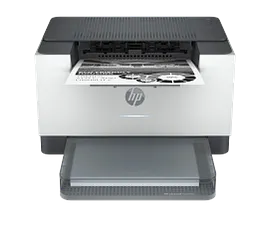
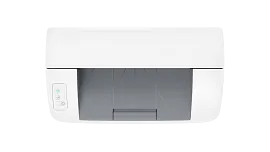
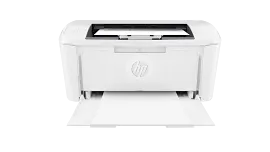
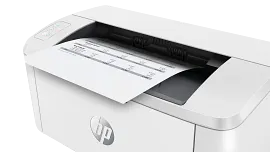
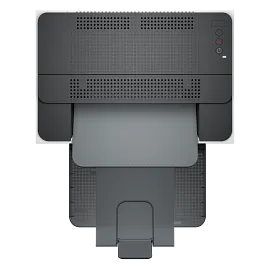
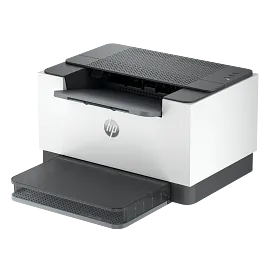
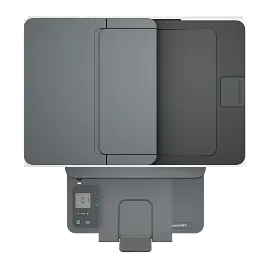
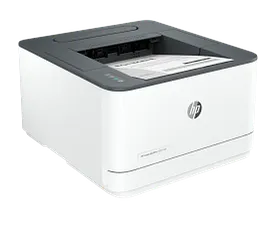
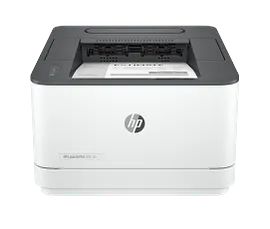
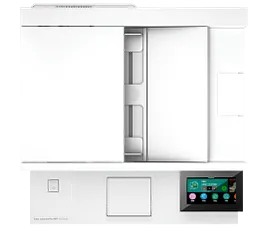
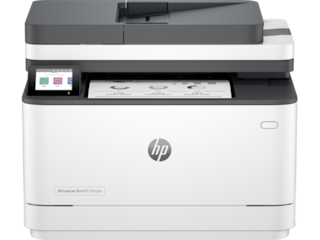
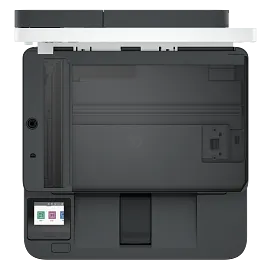
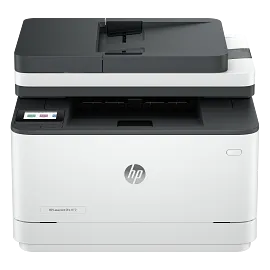
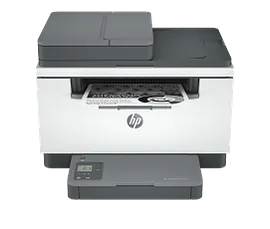
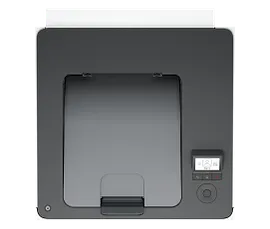
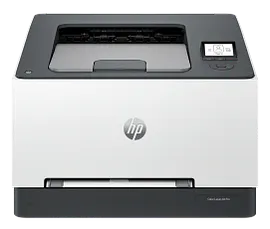
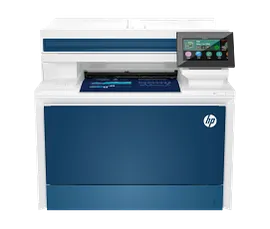
HP LaserJet M207dw Printer

ENERGY STAR | Small Office

Other offers available with the product:

FREE Storewide Shipping

Lucky Deals

Financing options available for all credit scores

Product # 8J9K9F#A62
  • Print only, wireless
  • Print speed letter: Up to 28 ppm (black)
  • Auto duplex printing; 150-sheet input tray; dual-band wireless 802.11a/b/g/n
  • Dynamic security enabled printerSee all Specs

3% back in HP Rewards

Engineered for Sustainability
Increase productivity with this high-performance black-and-white printer in an award-winning compact design.[2] Experience the fastest two-sided printing in class[6] and reliable Wi-Fi with self-reset,[7, 11] plus simplified setup and time-saving features with the HP app.[1,3]
Business owners and office managers who print black-and-white documents on a regular basis and need proven print solutions to help them be more productive.
This printer is intended to work only with cartridges that have a new or reused HP chip, and it uses dynamic security measures to block cartridges using a non-HP chip. Periodic firmware updates will maintain the effectiveness of these measures and block cartridges that previously worked. A reused HP chip enables the use of reused, remanufactured, and refilled cartridges. More at:
http://www.hp.com/learn/ds

Built for fast and reliable printing

Deliver multipage documents in a flash with the fastest two-sided printing in class.[6] Rely on consistent, high-quality prints page after page. Get the quality you expect from an industry leader. Stay connected with reliable dual-band Wi-Fi® that automatically reconnects to stay online.[7,11] Easily share resources – access and print with wireless and Ethernet networking.[7,11]

Award-winning design to fit your workspace[2]

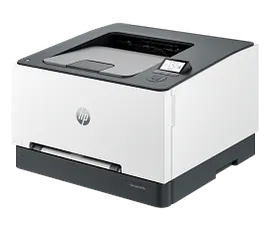
Small in size but big in performance, an impressive combination of advanced power and award-winning design.[2] Save space and reduce clutter with a modern sleek design that fits your workspace. You can fit this LaserJet almost anywhere. Get projects done quickly with this high-performance compact printer.

Easy to set up, easy to use

Get started fast with easy setup guidance from the HP app.[1] Quickly setup and get back to business. Get time-saving Shortcuts, plus access and print documents and images from your mobile devices, with the easiest-to-use HP app.[8,11] Easily connect your printer to your computer with the built-in USB port. Easily manage tasks with smart-guided buttons and lighting for an intuitive experience – buttons appear only when needed.

Energy Efficient Design

Optimize printer energy usage with HP Auto-On/Auto-Off technology.[4] Easily recycle your used Original HP Toner Cartridges for free through the HP Planet Partners program.[9] This HP LaserJet meets ecolabel requirements, including ENERGY STAR® and Blue Angel.[5,10]

Features

Fastest two-sided printing in class[6]

Deliver multipage documents in a flash with the fastest two-sided printing in class.[6]

Small size. Big performance

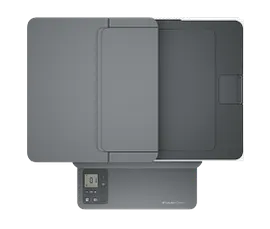
A LaserJet so compact it can fit almost anywhere.

Reliable Wi-Fi®[11]

Stay connected with reliable dual-band Wi-Fi® that automatically reconnects to stay online.[7,11][7,11]

Seamless setup

Get started fast with easy setup guidance from the HP app. Quickly setup and get back to business.[1][1]

Easily handle high-volume print jobs.

Stay productive and change paper less often with a 150-sheet capacity paper tray.

Amazing scanning, now on your smartphone[1,11]

Get high-quality scanning, and share to Dropbox, Google Drive, email, or the cloud – from virtually anywhere.[1,11][1,11]

Uncompromising laser quality.

Rely on consistent, high-quality prints page after page. Get the quality you expect from an industry leader.

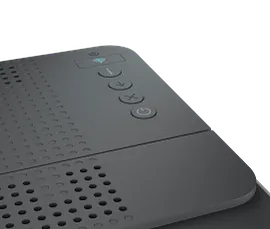
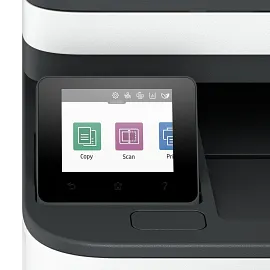
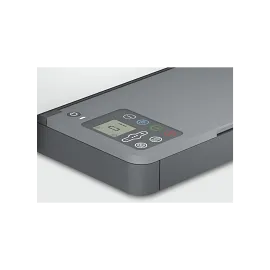
Smart-guided buttons and lighting

Easily manage tasks with smart-guided buttons for an intuitive experience – buttons appear only when needed.

Ready to help protect business

Help protect the information that matters most. Get security essentials to help maintain privacy and control.

On when you need it, off when you don’t

Help save energy with HP Auto-On/Auto-Off Technology – intelligence that can turn your printer on when you need it and off when you don’t.[4][4]

Technical Specs

Print Speed - Black (normal)

Up to 28 ppm

Printer page yield

[7] Declared yield value in accordance with ISO/IEC 19752 and continuous printing. Actual yields vary considerably based on images printed and other factors. For details see https://www.hp.com/go/learnaboutsupplies

First page out (ready) black

As fast as 6.9 sec

Resolution (black)

Up to 600 x 600 dpi

Monthly duty cycle

Up to 20,000[12]

Recommended monthly page volume

200 to 2,000[13]

Print Technology

Laser

Processor speed

500 MHz

Number of print cartridges

1 (black)

Replacement cartridges

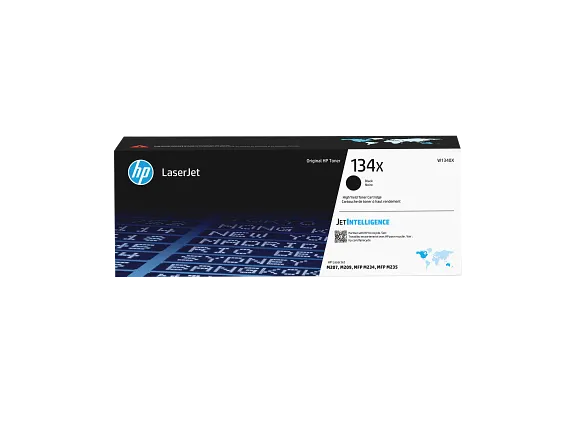
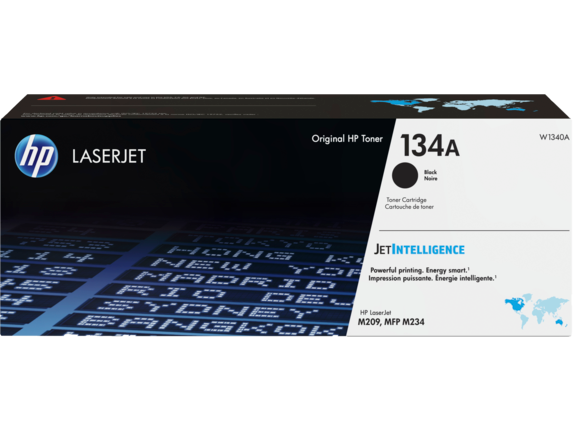
Regular Replacement Cartridge for DM1: HP 134A Blk LaserJet Toner Cartridge, W1340A (~1100), HP 134X Blk LaserJet Toner Cartridge, W1340X (~2400)
Regular Replacement Cartridge for DM2: HP 135A Blk LaserJet Toner Cartridge, W1350A (~1100), HP 135X Blk LaserJet Toner Cartridge, W1350X (~2400)
[6]

Product disclaimer

This printer is intended to work only with cartridges that have a new or reused HP chip, and it uses dynamic security measures to block cartridges using a non-HP chip. Periodic firmware updates will maintain the effectiveness of these measures and block cartridges that previously worked. A reused HP chip enables the use of reused, remanufactured, and refilled cartridges. More at:

Print languages

PCLmS
URF
PWG

Automatic paper sensor

Yes

Paper trays, standard

1

Paper trays, maximum

1

Mobile Printing Capability

Apple AirPrint™
Mopria™ certified
HP app
Wi-Fi Direct® printing

Connectivity, standard

1 Hi-Speed USB 2.0 (device)
Ethernet 10/100 Base-TX
Wireless 802.11a/b/g/n, Dual band 2.4GHz/5GHz

Security management

Secure Boot, Secure Firmware Integrity, Runtime Code Integrity, password protected EWS, secure browsing via SSL/TLS 1.0, TLS 1.1, TLS 1.2
TLS 1.0/1.1 disabled by default
Update to OpenSSL version 1.1.1
enable/disable Network ports
SNMPv1, SNMPv2, and SNMPv3, community password change
Secure defaults, Encrypted data at rest, Active FW update, Admin password by default, Cipher & TLS selection
Account lockout
Secure Wi-Fi setup

Minimum system requirements

macOS v14 Sonoma
macOS v13 Ventura
macOS v12 Monterey
2 GB HD
Internet required
Microsoft® Windows® 11, 10: 32-bit or 64-bit, 2 GB available hard disk space, Internet connection, Microsoft® Internet Explorer.

Compatible operating systems

Windows 11
Windows 10
macOS 12 Monterey
macOS 13 Ventura
MacOS v14 Sonoma
Linux[14]

Memory, standard

64 MB

Memory, maximum

64 MB

Printer management

HP Printer Assistant (UDC)
HP Device Toolbox

Supported network protocols

TCP/IP: IPv4
IPv6
LPD
SLP
Bonjour
WS-Discovery
BOOTP/DHCP/AutoIP
SNMP v 1/2/3
HTTP/HTTPS
UDP
IPP

Paper handling input, standard

150-sheet input tray

Paper handling output, standard

100-sheet output tray

Duplex printing

Automatic (standard)

Media sizes supported

Letter, legal, executive, envelopes

Media sizes supported

A4
A5
A6
B5 (JIS)

Media sizes, custom

4 x 6 to 8.5 x 14 in

Media types

Paper (laser, plain, rough, vellum), envelopes, labels, cardstock, postcard

Supported media weight

16 to 43 lb

Media weights by paper path

60 to 163 g/m²

Power

110-volt input voltage: 110 to 127 VAC (+/- 10%), 60 Hz/50 Hz, 4.6 A
220-volt input voltage: 220 to 240 VAC (+/- 10%), 60 Hz/50 Hz, 2.7 A

Power consumption

420 watts (active printing), 2.0 watts (ready), 0.5 watts (sleep), 0.5 watts (Auto Off/Wake on USB, enabled at shipment), 0.04 watts (Auto-off/Manual-on), 0.04 (Manual Off)[4]

Energy efficiency

Blue Angel
ENERGY STAR® certified

Operating temperature range

59 to 90.5º F

Recommended operating temperature

63.5 to 77º F

Operating humidity range

30 to 70% RH

Software included

No CD inbox (except Indonesia and China Gov) Downloadable Software from hp.com or 123.hp.com #CD include HP Software Installer, Uninstaller, printer driver and other essential tools.

Warranty

One-year limited warranty

Dimensions (W X D X H)

13.98 x 11 x 8.07 in

Dimensions Maximum (W X D X H)

13.98 x 16.80 x 10.43 in

Weight

12.35 lb

Package weight

17.2 lb

What's in the box

HP LaserJet M207dw
Preinstalled HP Black Original LaserJet Toner Cartridge
Dust cover
Power Cord
Reference Guide
Setup Poster
Regulatory Flyer

Sustainability Impact

Mercury free

Wireless capability

1 built-in Wi-Fi 802.11a/b/g/n

Reviews and Q&A

HP LaserJet M207dw Printer is rated 4.3 out of 5 by 185.
  • y_2026, m_3, d_14, h_9
  • bvseo_bulk, prod_bvrr, vn_bulk_3.0.42
  • cp_1, bvpage1
  • co_hasreviews, tv_86, tr_99
  • loc_en_US, sid_8J9K9F, prod, sort_[SortEntry(order=SUBMISSION_TIME, direction=DESCENDING)]
  • clientName_hp
  • bvseo_sdk, java_sdk, bvseo-4.0.0
  • CLOUD, getAggregateRating, 11ms
  • REVIEWS, PRODUCT
Rated 5 out of 5 by Hiram Abiff from Great bang for the buck Delivers as promised. Fast, quiet and good quality print.
Date published: 2026-02-26
Rated 2 out of 5 by David P. J. from Printing Problems When my M209DW is printing it works just fine. I have to keep re-adding the printer since the printer keeps going off-line. I have re-downloaded the drivers but it does not seam to help. The printer will work for 3-4 days without any issues then I will have to remove then re-add the printer to get it to work. I guess I will have to contact HP Tech Support to fix issues.
Date published: 2026-02-12
Rated 1 out of 5 by Anonymous from HP lied about it being instant ink printer HP support told me it was instant ink compatible. Ordered 2 and now I find out this model is NOT.
Date published: 2026-02-01
Rated 5 out of 5 by Hascal from Hard to add to network Great laser printer. Support techs need instructions to adjust router MP3 security to MP2 will then hook up to your network easy
Date published: 2026-01-18
Rated 5 out of 5 by Anonymous from Efficient, compact and affordable I had the HP 1020 which I loved, but unfortunately, the drivers are no longer available so I had to upgrade. This printer did not disappoint. It’s wireless which I never had before and it prints double-sided automatically or the previous printer ahead the manually feed. it was easy to set up and it comes with a draft option to save ink. for me, it’s a perfect option as a Retired professional doesn’t have all the bells and whistles, but I don’t need them in. The price was great.
Date published: 2025-12-29
Rated 5 out of 5 by Tom- from Duplex printer Very good duplex printer for a single desk.
Date published: 2025-10-13
Rated 5 out of 5 by Onofre from Printer Fast. Efficient. Completely satisfied.
Date published: 2025-10-06
Rated 5 out of 5 by Anonymous from Excellent printer! Easy to install, fast printout. Highly recommended!
Date published: 2025-09-07
  • y_2026, m_3, d_14, h_9
  • bvseo_bulk, prod_bvrr, vn_bulk_3.0.42
  • cp_1, bvpage1
  • co_hasreviews, tv_86, tr_99
  • loc_en_US, sid_8J9K9F, prod, sort_[SortEntry(order=SUBMISSION_TIME, direction=DESCENDING)]
  • clientName_hp
  • bvseo_sdk, java_sdk, bvseo-4.0.0
  • CLOUD, getReviews, 4ms
  • REVIEWS, PRODUCT

Can the hp M209dw be set up without wifi for wired use using a usb cable?

Asked by: garyds
Thanks for your question. You can use a USB printer cable to set up the printer.
Answered by: HP Team-Ryan
Date published: 2025-03-07

Why can't I register my new Laserjet M207dw printer? s/n VNLI802169 Purchased 4/15/2025 from Amazon. I go to the register site from 2 different sources and it just says "No results found" when I put the printer model in.

Asked by: Egg1son
Thank you for your question! This forum does not have information on warranties. For assistance visit HP Support at this link: https://support.hp.com/us-en
Answered by: HP Team Grant
Date published: 2025-04-21

does this printer print photos

Asked by: Ratso
Hello. Thanks for your question. The HP LaserJet M207dw is designed primarily for black-and-white document printing and is not optimized for photo printing. If you want to print color photos, we recommend looking at the HP Envy Inspire printers. If you need further assistance, we recommend reaching out to the HP customer service team for further assistance: https://www.hp.com/us-en/contact-hp/shopping.html
Answered by: HP Team Cheri
Date published: 2025-03-01

Can the HP Laser Jet M209dw printer make copies?

Asked by: KGalllup
Hello. Thanks for your question. The HP Laserjet m209dw printer does not have the capability to make copies. I recommend looking at the HP Laserjet m234 printer series, they have the capability to print, copy, and scan. If you need further assistance, we recommend reaching out to the HP customer service team, https://www.hp.com/us-en/contact-hp/contact.html
Answered by: HP Team Cheri
Date published: 2023-03-25

Is this model dual voltage?

Asked by: Docgeorge
Thank you for your question! Yes, this HP LaserJet M209d Printer is dual-voltage compatible. 110-volt input voltage: 110 to 127 VAC (+/- 10%), 60 Hz/50 Hz, 4.6 A; 220-volt input voltage: 220 to 240 VAC (+/- 10%), 60 Hz/50 Hz, 2.7 A
Answered by: HP Team Grant
Date published: 2025-04-08

Will this printer work with Mac OS Sonoma 14.6.1?

Asked by: ruth05
Hello Ruth and thanks for shopping with HP! Yes, this HP LaserJet M209dw Printer will be compatible with macOS 10.14 and newer macOS including 14.6.1.
Answered by: HP Team Grant
Date published: 2024-08-27

does this printer support printing form Symbol set code page 864 ,CP 864, IBM 00864 ? and if not, i want the models which support that symbol set .please only Black and white 30 ppm printer

Asked by: AHamdy
For assistance with HP Printers that will print in Arabic in your part of the world please visit the HP World website available at this link: https://www.hp.com/us-en/contact-hp/ww-how-to-buy.html
Answered by: HP Team Grant
Date published: 2023-02-10

Can you use this printer with USB cable without printer being connected to internet? Reference guide says no

Asked by: Jefm
Yes, this HP LaserJet M209dw Printer can be used via USB without an internet connection. The HP LaserJet M209dwe cannot, however.
Answered by: HP Team Grant
Date published: 2023-02-10
  • y_2026, m_3, d_14, h_9CST
  • bvseo_bulk, prod_bvqa, vn_bulk_3.0.42
  • cp_1, bvpage1
  • co_hasquestionsanswers, tq_38
  • loc_en_US, sid_8J9K9F, prod, sort_[SortEntry(order=NUM_ANSWERS, direction=DESCENDING)]
  • clientName_hp
  • bvseo_sdk, java_sdk, bvseo-4.0.0
  • CLOUD, getContent, 37ms
  • QUESTIONS, PRODUCT

Similar Products

Return and exchange information
Most items may be returned within 30 days of delivery. A restocking fee of up to 15% of the purchase price may be deducted from your refund for returned items, except where prohibited by law. No restocking fee applies to defective or incorrect items. A restocking fee is not applicable for printers, ink, toner, paper, care packs, software and services. For details, please visit: https://www.hp.com/us-en/shop/cv/returnsandexchanges
Country/Region :   United States