HP Envy 6555 All-in-One Printer with 3 months free Instant Ink, AI-capable


ENERGY STAR | New | Home
Other offers available with the product:
FREE Storewide Shipping
Financing options available for all credit scores
Memorial Day Sale
Product # C2XR6A#B1H
FunctionsPrint, copy, scan, mobile fax
- Print, copy, scan in color, mobile fax, wireless printing
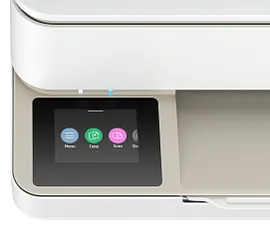
- Versatile home all-in-one with 2.4" color touchscreen, 35-sheet auto-document feeder
- Perfectly formatted prints with HP AI
- Get 3 months FREE Instant Ink
- Dynamic security enabled printerSee all Specs
Can't find what you are looking for?
3% back in HP Rewards
Engineered for Sustainability
HP Envy 6555 All-in-One Printer with 3 months free Instant Ink, AI-capable
$0.00
Handle everyday tasks with a versatile, all-in-one printer for quality home printing. Get vibrant prints that meet your expectations with HP's true-to-screen technology. Designed to deliver a seamless, organized print experience.[3]
For individuals seeking a versatile inkjet printer for high-quality everyday printing, schoolwork, and personal projects.
This printer is intended to work only with cartridges that have new or reused HP electronic circuitry, and it uses dynamic security measures to block cartridges using modified or non-HP circuitry. Periodic firmware updates will maintain the effectiveness of these measures and block cartridges that previously worked. Reused HP electronic circuitry enables the use of reused, remanufactured, and refilled cartridges. More at:
http://www.hp.com/learn/ds
For individuals seeking a versatile inkjet printer for high-quality everyday printing, schoolwork, and personal projects.
This printer is intended to work only with cartridges that have new or reused HP electronic circuitry, and it uses dynamic security measures to block cartridges using modified or non-HP circuitry. Periodic firmware updates will maintain the effectiveness of these measures and block cartridges that previously worked. Reused HP electronic circuitry enables the use of reused, remanufactured, and refilled cartridges. More at:
http://www.hp.com/learn/ds
Vibrant prints that match your screen[3]
Seamless home printing
Simplify tasks with HP AI[4]
Enhance productivity. Personalize experiences. Inspire creativity.
Recommended Supplies & Support
Features
Vivid color printing for all your document and photo needs.
Print documents and photos that look like they do on your screen with HP's true-to-screen tech.[3]
Print, scan, and copy from anywhere with the easy-to-use HP app.[2]
Stay connected with HP's best and most reliable dual-band Wi-Fi®.[1]
Smoothly navigate printing with HP's most intuitive printer color touchscreen.[1]
Technical Specs
Reviews and Q&A
HP Envy 6555 All-in-One Printer with 3 months free Instant Ink, AI-capable is rated
out of
5 by
5.
Rated 4 out of
5
by
DMWaters from
Good printer for light home use
I was looking for quality affordable printer for light home use and so far this HP Envy 6552 All-in-One Printer meets my needs and exceeds my expectations. The set-up was a breeze. Once plugged in, a screen on the printer along with a QR code that prompts you to install the HP app walks you through a straight-forwarded 15 minute process. The instructions were easy to understand and follow. I am not the greatest with tech and frequently run into problems with new electronics, but I had zero issues installing this HP Printer and printing from both my phone and computer.
My top pros: straightforward set-up, easy to print from both my phone and laptop, quality of print, and price.
My top cons: I am not a fan of the power button being located on the back of the machine (I am in a wheelchair and it is hard to access), the printing speed is slower than other comparable models I have had in this price range, and it does not have a sleep mode.
Still to be determined: ink usage / replacement cost, stability of Wi-Fi connectivity, and mobile faxing. I will update my review once I know.
All-in-all, I am very happy with this printer so far and it is a huge upgrade compared to the 10 year old printer that I replaced.
Date published: 2026-05-16
Rated 5 out of
5
by
gloria386 from
Very nice
I print a lot of documents and photos, and I find that this HP Envy 6552 is versatile, especially for photo printing. It’s designed to handle both types of printing. It comes with 3 months of free instant ink. I suggest you sign up, as if you’re not careful with how you use it, it can use up a lot of ink. Otherwise, I like that it uses a wider color gamut (P3), so my photos don't look "washed out", it prints two-sided, and it can handle edge-to-edge printing. I like the crisp, sharp text, which makes the documents easy to read. The scanner has an Auto Document Feeder (ADF), which is great for scanning multi-page documents. I really like this printer and highly recommend it.
Date published: 2026-05-15
Rated 5 out of
5
by
DandySandy from
So easy to setup!!!
I have not tried this brand of printer before so I wasn't sure how I would like it and I was so surprised!!! This was so easy to setup and so quick, it has to be the best setup I have ever done!! IT has a really great print quality and you only need 2 ink cartridges which is nicer than buying so many of them. I like how I can print it directly from my phone without needing a computer. The print quality is great and it looks like professional!! O really love all the options available with scan, print etc. If you are look for a great quality easy to setup printer this is the one!!
Date published: 2026-05-13
Rated 5 out of
5
by
mbushling from
Nice efficient printer
I am enjoying using our new HP All in One, 6552 printer. Setting it up out of the box was very easy. The printer in light to lift, pretty compact and has easy instructions for setup. Adding the app made installation alot easier as scanning the guide gives you a video showing setup. I'm happy with the way the printer will scan and do double sides copies. It has everything we will need during the school year for projects. My family will be getting great use out of it. We printed out some coloring pages for the kids and they are crisp clear lines. I really like how easy the paper tray comes out and closes all the way. We are very happy with this printer.
Date published: 2026-05-12
Rated 5 out of
5
by
Dchammp from
Easy to Use Sleek Modern Printer
This printer truly is all-in-one. Setting up the printer was extremely easy and simple, and getting everything connected was a breeze. Once it was all set up, I was able to print a few test pages, as well as scan a few test documents, and the print quality was excellent. The design is also modern, and the touch screen controls are responsive and sleek. Looking forward to using this as my home office printer!
Date published: 2026-05-12
Similar Products

1/6
HP Envy 6555e All-in-One Printer with 6 Months of Instant Ink for free with HP+, AI-enabled
Print, copy, scan in color; auto doc feeder; 2.4” high resolution touchscreen; scan-to-emailHome and family documents, borderless photos, homework, creative projectsIncludes 3 months of Instant Ink for free with HP+Get perfectly formatted prints with HP AIDynamic security enabled printer
714N5A#B1H
ENERGY STAR | Home
Engineered for Sustainability
Get 3 extra months of Instant Ink!
3% back in HP Rewards


1/7
HP Envy 6155e All-in-One Printer w/free 3 months Instant Ink through HP+, AI-enabled
Print, copy, scan in color, scan to email; 2.4 in touch screen; 2-sided prints, photos, mobile/wirelessHome and family documents, borderless photos, homework, creative projectsIncludes 3 months HP Instant Ink and more with optional HP+ printing systemGet perfectly formatted prints with HP AIDynamic security enabled printer
714L5A#B1H
ENERGY STAR | Home
Engineered for Sustainability
3% back in HP Rewards

1/7
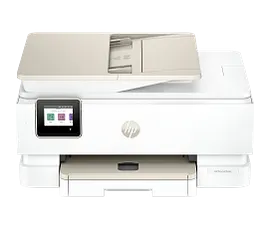
HP Envy Photo 7975 All-in-One Printer with free 3 Months of Instant Ink, AI-enabled
Print, scan, copy; wireless; 35-sheet ADFPerfectly formatted prints with HP AICustomize the backs of photos for personalized cards with HP's exclusive automatic 2-sided photo printingBonus 3 Months of Instant Ink
B63K3A#B1H
ENERGY STAR | Home
Engineered for Sustainability
3% back in HP Rewards


1/7
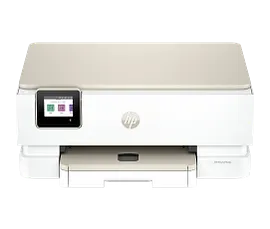
HP Envy Photo 7275 All-in-One Printer with free 3 Months of Instant Ink, AI-enabled
Print, scan, copy, wirelessPerfectly formatted prints with HP AICustomize the backs of photos for personalized cards with HP's exclusive automatic 2-sided photo printingBonus 3 Months of Instant InkDynamic security enabled printer
B63JSA#B1H
ENERGY STAR | Home
Engineered for Sustainability
3% back in HP Rewards
Return and exchange information
Most items may be returned within 30 days of delivery. A restocking fee of up to 15% of the purchase price may be deducted from your refund for returned items, except where prohibited by law. No restocking fee applies to defective or incorrect items. A restocking fee is not applicable for printers, ink, toner, paper, care packs, software and services. For details, please visit: https://www.hp.com/us-en/shop/cv/returnsandexchanges.


