Save up to 72%
Memorial Day Sale
during our Memorial Day Sale.
Save up to 72% on select products and get free shipping.
Financing options available for all credit scores.

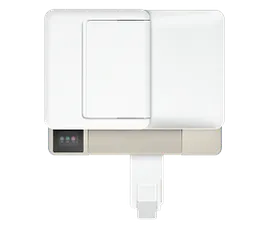
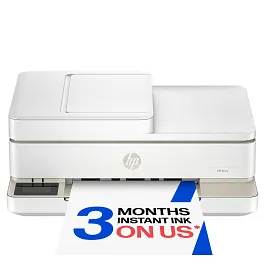
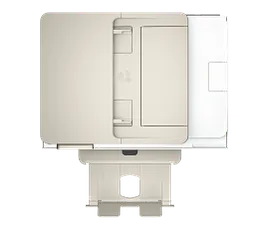
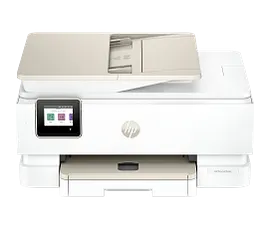
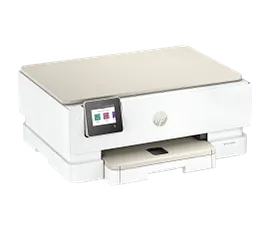
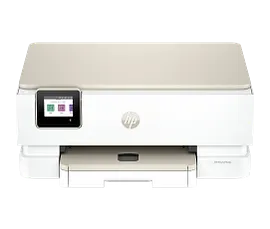
HP Envy 6155 All-in-One Printer with 3 months free Instant Ink, AI-capable

ENERGY STAR | New | Home

Other offers available with the product:

FREE Storewide Shipping

Financing options available for all credit scores

Memorial Day Sale

Product # C2WR7A#B1H
  • Print, copy, scan in color, wireless printing
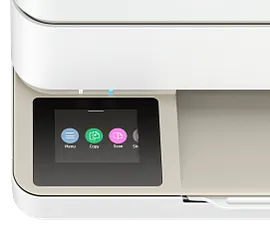
  • Versatile home printer with 2.4" color touchscreen
  • Perfectly formatted prints with HP AI
  • Get 3 months FREE Instant Ink
  • Dynamic security enabled printerSee all Specs

3% back in HP Rewards

Engineered for Sustainability
Add an HP Care Pack to protect your new device

Included

    • Remote problem diagnosis and technical telephone support
    • Next-business-day hardware exchange
    • Standard coverage window
    • Access to electronic support information and services
    • This warranty extension is only available for Printers within Factory Warranty [2]
    • Remote problem diagnosis and technical telephone support
    • Next-business-day hardware exchange
    • Standard coverage window
    • Access to electronic support information and services
    • This warranty extension is only available for Printers within Factory Warranty [2]

    Service starts on date of hardware purchase. Restrictions and limitations apply.

    Handle everyday tasks with a versatile, all-in-one printer for quality home printing. Get vibrant prints that meet your expectations with HP's true-to-screen technology. Designed to deliver a seamless, organized print experience.[3]
    For individuals seeking a versatile inkjet printer for high-quality everyday printing, schoolwork, and personal projects.

    Vibrant prints that match your screen[3]

    HP's true-to-screen technology ensures colors look just like they do on your display.[3] Updated ink technology for consistent printing, delivering outstanding prints every time.[6.7] Easily print on both sides of photos and documents with automatic 2-sided printing.[3]

    Seamless home printing

    Set up, print, scan, and copy from your phone or laptop with the HP app.[2] Smoothly navigate printing with HP's most intuitive color touchscreen.[1] HP Instant Ink ensures you have ink delivered automatically before you run out.[5]

    Simplify tasks with HP AI[4]

    Enhance productivity. Personalize experiences. Inspire creativity.

    Features

    Vivid color printing for all your document and photo needs.

    Print documents and photos that look like they do on your screen with HP's true-to-screen tech.[3]

    Print, scan, and copy from anywhere with the easy-to-use HP app.[2]

    Easily print on both sides of documents and photos with automatic 2-sided printing.[3]

    Stay connected with HP's best and most reliable dual-band Wi-Fi®.[1]

    Get documents and images with remarkable clarity using the flatbed scanner.

    Technical Specs

    Functions

    Print, copy, scan, mobile fax

    Print Speed - Black (ISO, laser comparable)

    Up to 10 ppm

    Print Speed - Color (ISO, laser comparable)

    Up to 7 ppm

    Resolution (black)

    Up to 1200 x 1200 rendered dpi (when printing from a computer)

    Resolution (color)

    Up to 4800 x 1200 optimized dpi color (when printing from a computer on selected HP photo papers and 1200 input dpi)

    Monthly duty cycle

    Up to 1000 pages
    Duty cycle is the maximum number of pages that can be printed in a month, but this page volume is not recommended on an ongoing basis.

    Recommended monthly page volume

    100 to 400
    HP recommends the number of pages printed not exceed the recommended monthly page volume for optimum device performance.

    Print Technology

    HP Thermal Inkjet

    Display

    2.4" Diagonal Color Capacitive Touchscreen (320 x 240)

    Processor speed

    800 MHz

    Number of print cartridges

    2 (1 each black, tri-color)

    Replacement cartridges

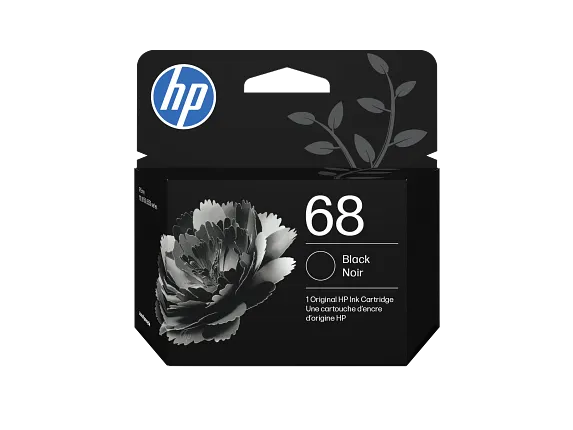
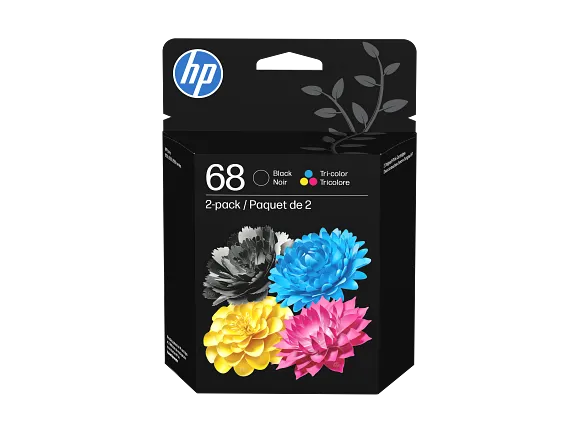
    HP 68 Black Original Ink Cartridge (~160 pages yield) 7FP21TN
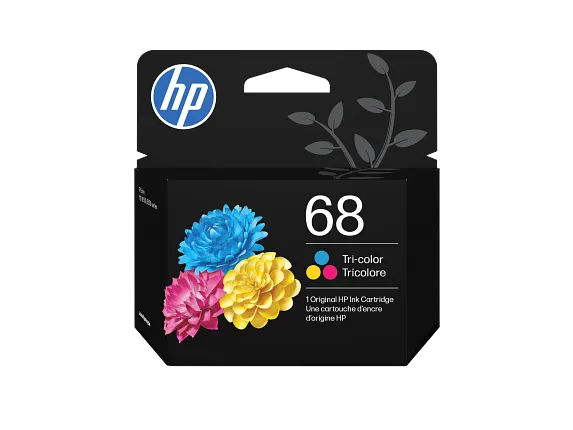
    HP 68 Tri-Color Original Ink Cartridge (~120 pages yield) 7FP20TN
    HP 68e EvoMore Black Original Ink Cartridge (~320 pages yield) 7FP22TN

    Compatible ink types

    Dye-based (color)
    Pigment-based (black)

    Print languages

    URF (AirPrint)
    HP PCL 3 GUI
    HP PCLm (HP Apps/UPD)
    PJL (Printer Job Language)

    Automatic paper sensor

    No

    Paper trays, standard

    1

    Paper trays, maximum

    1

    Mobile Printing Capability

    HP app
    Apple AirPrint
    Chrome OS
    HP Print Service Plugin (Android printing)
    Mopria-certified
    Mopria Print Service

    Connectivity, standard

    1 Hi-Speed USB 2.0 (device)
    1 Wi-Fi 802.11a/b/g/n/ac, dual band

    Security management

    Yes

    Memory, standard

    256 MB DDR3

    Printer management

    No

    Minimum system requirements

    Apple macOS 12 Monterey, macOS 13 Ventura, macOS 14 Sonoma
    2 GB HD
    Internet required
    Microsoft Windows 11, 10: 32-bit or 64-bit, 2 GB available hard disk space, Internet connection, Microsoft Internet Explorer or Edge.

    Compatible operating systems

    Windows 11
    Windows 10
    macOS 12 Monterey
    macOS 13 Ventura
    macOS 14 Sonoma
    Linux
    Chrome OS

    Paper handling input, standard

    Up to 100 sheets input tray

    Paper handling output, standard

    25-sheet output tray

    Duplex printing

    Automatic

    Envelope input capacity

    Up to 10 envelopes

    Borderless printing

    Yes (up to 8.5 x 12 in, 216 x 305mm)

    Finished output handling

    Flatbed

    Media sizes supported

    Letter, 3 x 5 in, 4 x 6 in, 5 x 7 in, 8 x 10 in, No. 10 envelopes, 5 x 5 in, 4 x 12 in

    Media sizes, custom

    Simplex:3 x 5 to 8.5 x 12 in
    Duplex:3 x 5.5 to 8.5 x 11.7 in

    Media types

    Plain Paper
    HP Photo Papers
    HP Matte Brochure or Professional Paper
    HP Matte Presentation Paper
    HP Glossy Brochure or Professional Paper
    Other Photo Inkjet Papers
    Other Matte Inkjet Papers
    Other Glossy Inkjet Papers
    Plain Paper, Light/Recycled

    Recommended media weight

    20 lb

    Supported media weight

    Letter: 16 to 24 lb
    HP envelopes: 20 to 24 lb
    HP cards: up to 53 lb
    HP 4 x 6 inch photo paper: up to 80 lb

    Scanner type

    Flatbed

    Scan file format

    JPG
    Basic PDF
    PNG
    TIF
    HEIF

    Scan resolution, hardware

    Up to 1200 x 1200 dpi

    Scan resolution, optical

    Up to 1200 dpi

    Scan size (flatbed), maximum

    8.5 x 11.7 in

    Digital sending features

    Everyday scan (scan to PDF)
    Scan to email
    Scan to email (from software)
    Scan to email (PDF, JPG)
    Scan to email (via printer control app)
    Scan to file (from software)
    Scan to file (PDF, JPG)
    Scan to PC
    Scan to PC (PDF, JPG)
    Scan to HP Cloud

    Digital send file Formats

    JPG
    PDF
    TIF

    Copy resolution (black text)

    Up to 300 x 300 dpi

    Copy resolution (colour text and graphics)

    300 x 300 dpi

    Copy reduce / enlarge settings

    Via HP app

    Copies, maximum

    Up to 99 copies

    Faxing

    Yes, mobile fax (send only)

    Power

    Input voltage (WW): 100 to 240 VAC (+/- 10%), 50/60 Hz, 700mA. Input voltage (India): 200 to 240 VAC (+/- 10%), 50/60Hz (+/- 3Hz), 400mA

    Power consumption

    4.25 Watts (Ready)
    1.90 Watts (Sleep)
    0.175 Watts (Off)
    Power requirements are based on the country/region where the printer is sold. Do not convert operating voltages. This will damage the printer and void the product warranty.

    Energy efficiency

    IT ECO Declaration
    EPEAT® registered

    Operating temperature range

    41 to 104°F

    Operating humidity range

    25 to 75% RH (non-condensing)

    Software included

    HP Printer Software

    Warranty

    One-year limited warranty. For more info please visit us at http://support.hp.com .

    Dimensions (W X D X H)

    17.05 x 14.21 x 5.35 in

    Dimensions Maximum (W X D X H)

    17.05 x  20.19 x 5.35 in

    Weight

    11.28 lb

    Package weight

    15.26 lb

    What's in the box

    HP Envy 6155 All-in-One Printer
    HP 68 Setup Black Cartridge (~120 pages yield)
    HP 68 Setup Tri-Color Cartridge (~75 pages yield)
    Regulatory flyer
    Setup guide
    Reference guide
    Power cord

    Cable included

    No, please purchase USB cable separately

    Sustainability Impact

    Recyclable through HP Planet Partners
    FSC Certified Packaging
    60% post-consumer recycled plastic

    Dynamic security

    Dynamic security enabled printer
    This printer is intended to work only with new or reused cartridges that have a new or reused HP chip, and it uses dynamic security measures to block cartridges using a non-HP chip. Periodic firmware updates will maintain the effectiveness of these measures. More at: www.hp.com/learn/ds .

    Wireless capability

    Yes, Built-in Wi-Fi 802.11a/b/g/n/ac

    Reviews and Q&A

    HP Envy 6155 All-in-One Printer with 3 months free Instant Ink, AI-capable is rated 4.8 out of 5 by 6.
    • y_2026, m_5, d_23, h_13
    • bvseo_bulk, prod_bvrr, vn_bulk_3.0.46
    • cp_1, bvpage1
    • co_hasreviews, tv_0, tr_6
    • loc_en_US, sid_C2WR7A, prod, sort_[SortEntry(order=SUBMISSION_TIME, direction=DESCENDING)]
    • clientName_hp
    • bvseo_sdk, java_sdk, bvseo-4.0.0
    • CLOUD, getAggregateRating, 3ms
    • REVIEWS, PRODUCT
    Rated 5 out of 5 by tinagrrtt3 from HP Envy My NEW WFH Printer It’s super compact, so it fits nicely on my desk without taking up much space, and the wireless printing setup is pretty convenient once everything is connected. I also like that it can print, scan, and copy in one machine, which makes it useful for everyday tasks. I recommend this printer.
    Date published: 2026-05-16
    Rated 5 out of 5 by Trista925 from The duplex feature is a lifesaver I really like that I could set up the printer easily without needing to install drivers or connect cables like I had to with my previous printer. The setup process was straightforward using the HP Smart App. It took around 10 minutes, or 15 minutes if you continue to register for the Instant Ink program. Wireless printing saves me a lot of hassle when I need to print from multiple devices like my phone, iPad, or computer. The print quality is good even in normal mode. I also love the duplex printing feature since it saves both time and paper. With my last printer, I always forgot which direction to place the paper for double-sided printing and ended up wasting paper and time.
    Date published: 2026-05-15
    Rated 5 out of 5 by denean from Great All in One So excited to use this all in one printer. Very easy to set up right from box. One little issue was trying to fit the cartridges into the space where they belong because I was afraid I was doing it wrong and didn’t want to break anything but once I figured it out it was fine. Easy to hook up to WiFi and love that it scans and prints. Recognized very easy from my WiFi devices to print from anywhere in the house. Menu screen is very easy to see and use. Prints look great and also just everyday printing jobs are easily done. I definitely recommend this all in one HP Envy 6152 printer.
    Date published: 2026-05-15
    Rated 5 out of 5 by danceandsweat from Excellent Compact Printer A great, compact printer for all my needs and getting rid of the big boat anchor that I have been using. This printer is easy to set up in a few steps with a QR code, prints fast, scans, copies, and meets everything I hoped for. This unit has a small dashboard that keeps all the options simple to find and use. I have much more space. Check out the size!
    Date published: 2026-05-13
    Rated 4 out of 5 by MelBell from Good everyday printer I needed a new printer to scan and make high-quality copies of some legal documents, and this HP Envy 6152 All-In-One Printer has worked perfectly for that. Set up was easy enough until it came time to use the HP Smart app to connect to wifi (that took a few tries). But overall, the operation is great. I love the automatic duplex printing. It's easy enough to scan documents using either the touchscreen directly on the printer (and sending to email) or via the HP Smart app on my laptop if wanting to save the file directly onto my computer. The print quality is very good even on the "save ink/toner" setting, which is nice since I'm hoping I don't need to buy ink very often. I hate that HP forces you to buy their overpriced ink cartridges by making their printers not work with any other kind. That and the fact that the printer is kind of slow on start up (I don't keep it plugged in and on all the time) and kind of noisy are the only other cons I've found so far.
    Date published: 2026-05-13
    Rated 5 out of 5 by IBleedGreen2 from HP printer This is way better than I had expected it to be. Very easy to set up and get it going. Read out panel is easy to see. Neat little tray for the paper, couldn't ask for anything more. Prints very well and did I mention how quiet it was. I was so surprised as it was moving the paper through, I couldn't even hear it. I had printed out a paper and it said 2 pieces I was shocked that it printed on the back of the paper!
    Date published: 2026-05-07
    • y_2026, m_5, d_23, h_13
    • bvseo_bulk, prod_bvrr, vn_bulk_3.0.46
    • cp_1, bvpage1
    • co_hasreviews, tv_0, tr_6
    • loc_en_US, sid_C2WR7A, prod, sort_[SortEntry(order=SUBMISSION_TIME, direction=DESCENDING)]
    • clientName_hp
    • bvseo_sdk, java_sdk, bvseo-4.0.0
    • CLOUD, getReviews, 4ms
    • REVIEWS, PRODUCT
    • bvseo_sdk, java_sdk, bvseo-4.0.0
    • CLOUD, getContent, 4ms
    • QUESTIONS, PRODUCT
    • bvseo-msg: The resource to the URL or file is currently unavailable.;

    Similar Products

    Return and exchange information
    Most items may be returned within 30 days of delivery. A restocking fee of up to 15% of the purchase price may be deducted from your refund for returned items, except where prohibited by law. No restocking fee applies to defective or incorrect items. A restocking fee is not applicable for printers, ink, toner, paper, care packs, software and services. For details, please visit: https://www.hp.com/us-en/shop/cv/returnsandexchanges.