Save up to 71%
72 Hours Flash Sale
during our 72-hours Flash Sale.
Save up to 71% on select products, free shipping storewide. 
Bonus: Get extra 25% off select HP, HyperX, and Poly accessories with code: SETUP25

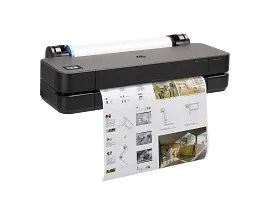
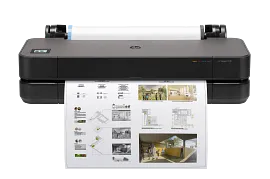
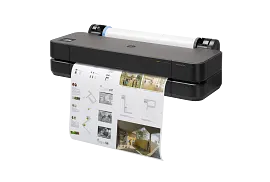
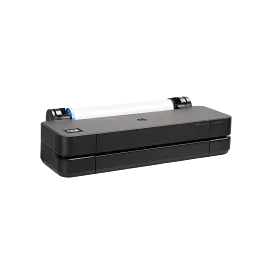
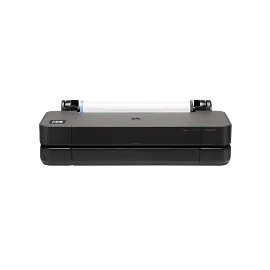
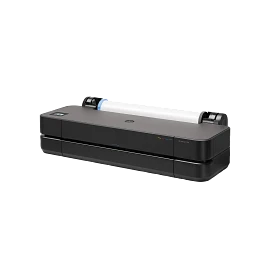
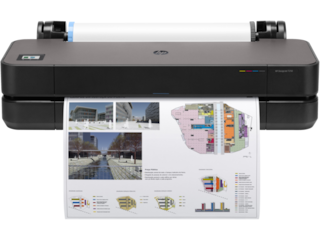
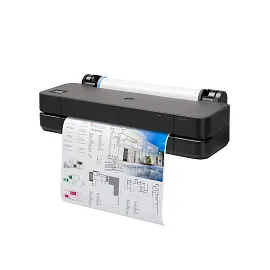
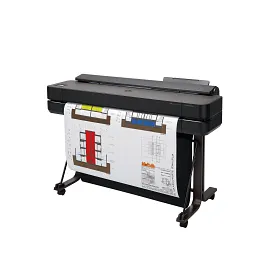
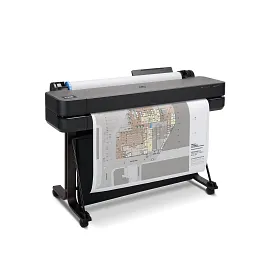
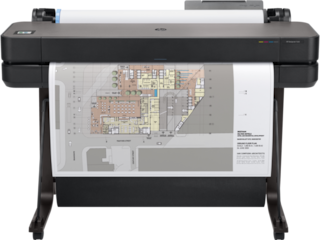
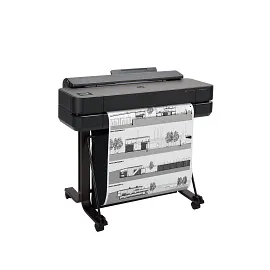
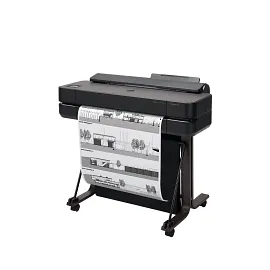
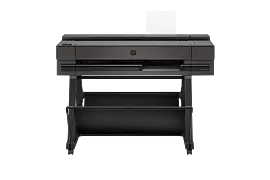
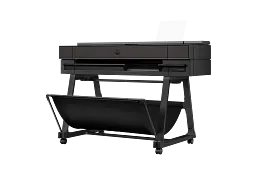
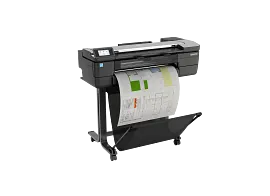
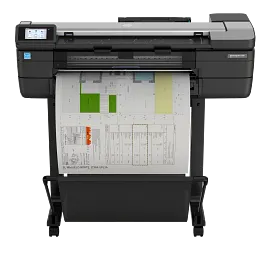
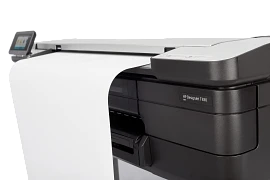
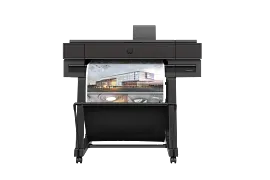
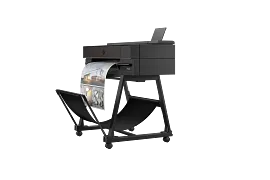
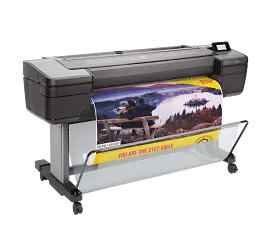
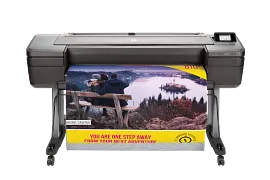
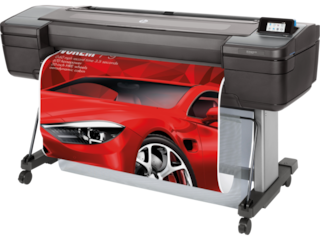
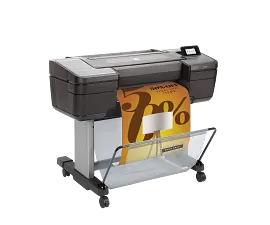
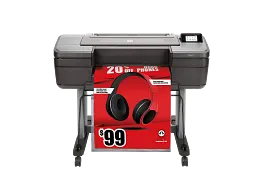
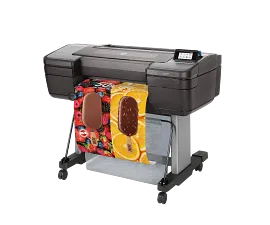
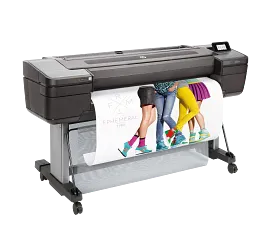
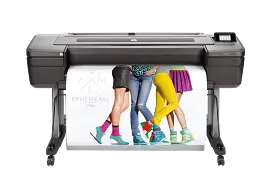
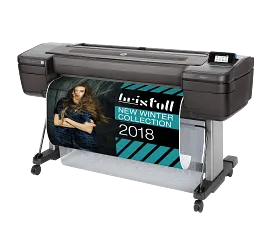
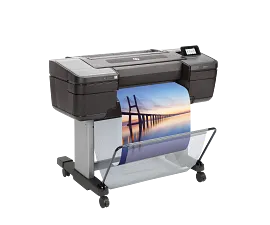
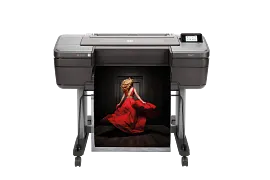
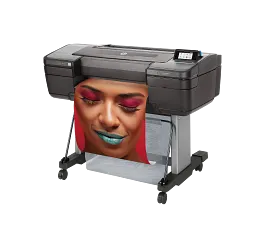
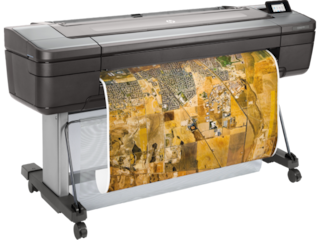
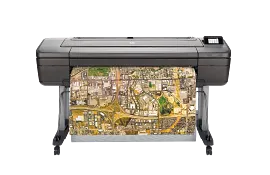
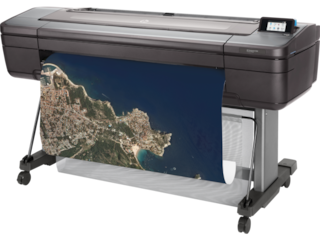
HP DesignJet T210 Large Format 24" Plotter Printer – Compact,  High-Precision CAD & Poster Printer

ENERGY STAR | Business

Other offers available with the product:

FREE Storewide Shipping

Financing options available for all credit scores

72 Hour Flash Sale

Product # 8AG32D#B1K
  • 45 sec/page on D, 59 D prints per hour
  • Letter size to 24” x 150 feet
  • Print Resolution Color (best): Up to 2400 x 1200 optimized dpi
  • Auto sheet feeder, roll cover, and output bin are optional accessories
  • Dynamic security enabled printerSee all Specs

3% back in HP Rewards

Add an HP Care Pack to protect your new device

Included

    • Remote problem diagnosis and support
    • Next business day[1] onsite hardware support
    • Replacement parts and materials included
    • Formal escalation procedures and management
    • Access to electronic support information and tools
    • Remote problem diagnosis and support
    • Next business day[1] onsite hardware support
    • Replacement parts and materials included
    • Formal escalation procedures and management
    • Access to electronic support information and tools

    Service starts on date of hardware purchase. Restrictions and limitations apply.

    Focus on the project, not your plotter. This printer delivers incredible ease of use with HP Click Print solutions.[2] It's responsibly designed to help you save energy[4] and reduce plastics use[7]. Plus, it’s compact and adaptable—to fit the way you work.
    AEC, GIS, and MCAD professionals who want to print maps, technical drawings, posters, and renders with precise, accurate line quality and crisp text
    Simplify the way you print with the world's smallest plotters[1]. Save time with HP Click Print solutions[2]. Reduce energy[4], plastics use[7], waste[6]—and do more with a responsibly designed printer that fits the way you work.
    This printer is intended to work only with cartridges that have a new or reused HP chip, and it uses dynamic security measures to block cartridges using a non-HP chip. Periodic firmware updates will maintain the effectiveness of these measures and block cartridges that previously worked. A reused HP chip enables the use of reused, remanufactured, and refilled cartridges. More at:
    http://www.hp.com/learn/ds

    INTUITIVE—Easy, effortless printing

    Simplify printing with the new HP Click Print solutions—save time with real-print preview.[2] With an accessory, print multi-size A4/A to A1/D projects without manually switching the media source.[3] Print your jobs and manage your plotter virtually anywhere, anytime with the HP app.[4]

    RESPONSIBLY DESIGNED—Reduce energy and plastic use

    Save 65% energy[5] with the printer on/off auto scheduler and enjoy efficient ink maintenance routines[6]. Minimize plastic waste by more than 70% with a new molded fiber packaging and removal of most plastic bags.[7] Made with at least 40% recycled plastic[8] and the first HP large format printer containing recycled metal.[9] Certified by UL ECOLOGO®.[10] Registered in EPEAT Gold and achieves EPEAT Climate+[11].

    OPTIMIZED—Fits the way you work

    Save space with the world's smallest plotters[1] designed to fit your office. Avoid waiting by the printer with printing as fast as 45 seconds per A1/D plot.[12] Protect your printer from cyberthreats with HP Wolf Essential Security. Get high-quality results—HP Bright Office Inks deliver better line accuracy[13] and up to 34% more gamut.[14]

    Technical Specs

    Functions

    Print

    Print speed, maximum

    45 sec/page on D, 59 D prints per hour[1]

    Resolution (color)

    Up to 2400 x 1200 optimized dpi

    Print Technology

    HP Thermal Inkjet

    Number of print cartridges

    4 (C, M, Y, K) cartridges

    Product disclaimer

    This printer is intended to work only with cartridges that have a new or reused HP chip, and it uses dynamic security measures to block cartridges using a non-HP chip. Periodic firmware updates will maintain the effectiveness of these measures and block cartridges that previously worked. A reused HP chip enables the use of reused, remanufactured, and refilled cartridges. More at:

    Compatible ink types

    Dye-based (C, M, Y)
    pigment-based (K)

    Print languages

    JPEG, URF

    Connectivity, standard

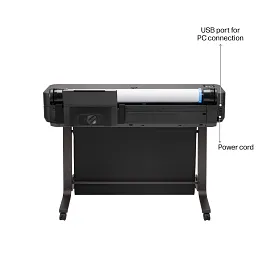
    Gigabit Ethernet (1000Base-T), Hi-Speed USB 2.0, Wi-Fi 802.11a/b/g/n, Wi-Fi Direct

    Memory, standard

    512 MB

    Hard disk

    None

    Non-printable area (cut-sheet)

    0.2 x 0.2 x 0.2 x 0.7 in (manual feed)
    0.2 x 0.2 x 0.2 x 0.2 in (input tray)

    Line accuracy

    ±0.1%[3]

    Maximum optical density (black)

    8 L* min/2.10 D[4]

    Finished output handling

    Sheet feed, roll feed
    automatic horizontal cutter

    Media sizes supported

    A, B, C, D

    Media sizes supported

    A4, A3, A2, A1

    Media sizes, custom

    8.3 x 11 to 24 x 74.7 in

    Media types

    Bond and coated paper (bond, coated, heavyweight coated, plain, bright white, blueprint), technical paper (natural tracing), film (clear, matte), photographic paper (satin, gloss, semigloss, polypropylene), self-adhesive (adhesive, polypropylene)

    Recommended media weight

    0.0123 to 0.0573 lb/ft²

    Media sizes, standard

    11 to 24 in

    Roll external diameter

    3.9 in

    Media thickness

    Up to 11.8 mil

    Power

    Input voltage (auto ranging): 100-240 V (±10%), 50/60 Hz (±3 Hz), 1200 mA max

    Power consumption

    <35 W (printing), <5.6 W (ready), <2.1 W (sleep), <0.2 W (off)

    Operating temperature range

    41 to 104ºF

    Warranty

    One-year limited hardware warranty

    Software included

    HP Click App for Windows and macOS, HP Click Driver for Windows 11, HP app for Windows, macOS, Android and iOS

    Dimensions (W X D X H)

    39.9 x 17.3 x 11.2 in

    Weight

    47.4 lb

    Package weight

    59.5 lb

    What's in the box

    HP DesignJet T210 24-in Printer, printhead, introductory ink cartridges, spindle, quick reference guide, setup poster, power cord

    Recommended Media

    HP Universal Bond Paper (FSC® certified)[5] (recyclable)[6]
    HP Coated Paper (FSC® certified)[5] (recyclable)[6]
    HP Heavyweight Coated Paper (FSC® certified)[5] (recyclable)[6]

    Dynamic security

    Dynamic security enabled printer
    Certain HP printers are intended to work only with cartridges that have a new or reused HP chip or electronic circuitry. These printers use dynamic security measures to block cartridges using a non-HP chip or electronic circuitry. Periodic firmware updates will maintain the effectiveness of these measures and block cartridges that previously worked. Reused HP chips and electronic circuitry enable the use of reused, remanufactured, and refilled cartridges.

    Reviews and Q&A

    HP DesignJet T210 Large Format 24" Plotter Printer – Compact,  High-Precision CAD & Poster Printer is rated 4.3 out of 5 by 55.
    • y_2026, m_4, d_20, h_8
    • bvseo_bulk, prod_bvrr, vn_bulk_3.0.43
    • cp_1, bvpage1
    • co_hasreviews, tv_26, tr_29
    • loc_en_US, sid_8AG32D, prod, sort_[SortEntry(order=SUBMISSION_TIME, direction=DESCENDING)]
    • clientName_hp
    • bvseo_sdk, java_sdk, bvseo-4.0.0
    • CLOUD, getAggregateRating, 3ms
    • REVIEWS, PRODUCT
    Rated 5 out of 5 by LaurenP from Versatile, Durable, and Reliable Printer This is my first time using a large format printer. I am pretty tech savvy in general, but I was still nervous about setting up such a large piece of equipment. The process was super easy, both the written instructions and the online/onscreen instructions made set up very simple. The most difficult part of setup was carrying the printer to its location since this is a very heavy and bulky piece of equipment. With that, it also seems very durable. The printing process was also easy with the HP app, both via phone and computer. I love that the print preview screen shows how it will print out on the roll of paper so there’s no questioning if you have the correct orientation, size, etc. It was slightly annoying trying to resize an image prior to printing on my computer - I don’t have a mouse, just a touchpad, and the app was extremely touchy when I was pinching in and out to resize an image I wanted to print the most minuscule movement would cause the image to shrink completely or become way too large for the page. So far, I have used this for a large poster for a graduation party, which I did on photo paper and the best quality possible in the printer settings. It looks really nice and is just as good, or better, than anything I would get from a fast print shop, like at a pharmacy. Unfortunately, the printer did stop partway through on my first attempt at printing this poster and required me to turn it off and turn it back on, which was a waste of ink. I was not given a reason about why this happened, but I suspect it is because my computer went into sleep mode while printing. The other project I have completed is printing out a banner sized personalized coloring page for my kids. The quality was great and it was a fun activity. Overall, I recommend this printer if you have needs for a large format printer. As a hobby crafter, I’ll continue to use it for things like making decorations for parties, personalized coloring sheets for the kids in my life, and would love to eventually make personalized wrapping paper!
    Date published: 2026-04-12
    Rated 5 out of 5 by RoyG from Fast quality prints I have always tried to justify purchasing a plotter printer. Now that i have the HP T210, i wish i had sooner. First off, this sets up in minutes and it is linked to 3 laptops, an Ipad, and 3 phones. To print a quality photo 24x36 it takes less than 5 minutes. The 2 dance pictures i printed here were on canvas and stretched to a fram and now on my wall. The barn photo was on standard paper and looks just as flawless. I have had this a few weeks and printed several large photos, a few drawings, and a Happy Birthday Banner without replacing the ink it shipped with.
    Date published: 2026-04-02
    Rated 5 out of 5 by GabrielaG from Budget friendly plotter The HP DesignJet T210 24” has been such a great addition to my setup. I like the size how compact it is for a large format printer. The print quality is super sharp especially for plans and poster. Setup was fast It’s 47 lb, wireless printing from my laptop and phone really convenient the colors come out vibrant for print with design, and the automatic cutter make roll print really easy
    Date published: 2026-03-31
    Rated 4 out of 5 by VanD from Easy Setup & Great Print Quality The HP DesignJet T210 is very easy to set up, and the instructions are clear and straightforward, which made the whole process smooth. The screen also guides you step by step, so it’s easy to follow along without confusion. Print quality is impressive—the images come out clear with great detail, perfect for posters or CAD prints. However, the printer is quite big and heavy, so it’s not easy to move around by yourself. The ink insertion can be a bit tricky and sometimes feels crooked—you may need to take it in and out a few times to get it working properly. Also, when opening the door, it makes a sound like something is broken, even though it’s actually fine. Overall, it’s a great printer with excellent print quality and user-friendly setup, but the size and a few minor design issues can be a downside.
    Date published: 2026-03-28
    Rated 5 out of 5 by UlianaS from Great quality, big and heavy. I recently tried the HP DesignJet T210 and I was honestly very impressed. The print quality is excellent — colors come out vibrant and sharp, and even detailed designs look very clean and professional. Another thing that stood out to me was the printing speed. For a large-format printer it prints very fast, which is really helpful when creating posters or decorative pieces. I also love that it supports large-format printing with a roll of paper. Being able to print big posters in one piece without splitting the design into multiple pages is amazing. Since I work with event décor, this is a very useful tool for me. The touchscreen display is another nice feature. It’s easy to navigate and offers a good selection of languages. The only thing that made the beginning a little confusing is that the instructions provided through the QR code mostly show how to unpack the printer. I had to find a few additional videos online to understand some of the functions. Once I did that, it became much easier to use. It’s also worth mentioning that the printer is quite large, so if you’re planning to buy it, it’s a good idea to think in advance about where you’re going to place it. Sometimes the printer goes into sleep mode when it hasn’t been used for a while, and a couple of times I had to restart it by unplugging it. Overall, I’m very satisfied with it, and for anyone working with posters, large designs, or event décor, it can be a really useful tool.
    Date published: 2026-03-14
    Rated 5 out of 5 by JoniL from Awesome I’m so happy with this HP printer/plotter. It was easy setup less than 20 minutes. That was mostly it updating and setting the print cartridges. It’s not that loud and prints beautifully. I can’t wait to use it more. Definitely recommend.
    Date published: 2026-02-28
    Rated 5 out of 5 by MeriA from I love this printer, thanks HP This printer is the best for my office, if you think buy a printer, this is the best option, i love hp, i dont change this printer for nothing, thank 😍 is beautifull the color, and elegant, is amazing
    Date published: 2026-02-26
    Rated 5 out of 5 by OliveBelleS from HP design jet T210 CAD poster printer is amazing HP Design Jet T210 large format 24" plotter printer compact high precision CAD poster printer. This very large poster are excellent for posters, maps, blueprints and school projects. This printer is amazing. The quality of the print is pristine. Its 24" wide you can have it as long of a poster that you want. It does not come with glossy printer paper roll. That you have to buy separately. The ink does come with printer which is a plus. If you have a lot of projects that require you to print poster size. I would recommend this HP.
    Date published: 2026-02-17
    • y_2026, m_4, d_20, h_8
    • bvseo_bulk, prod_bvrr, vn_bulk_3.0.43
    • cp_1, bvpage1
    • co_hasreviews, tv_26, tr_29
    • loc_en_US, sid_8AG32D, prod, sort_[SortEntry(order=SUBMISSION_TIME, direction=DESCENDING)]
    • clientName_hp
    • bvseo_sdk, java_sdk, bvseo-4.0.0
    • CLOUD, getReviews, 4ms
    • REVIEWS, PRODUCT

    What is the minimum width of a roll that can go into this printer? The manual says &quot;All paper must be 280 mm (11 in) or wider. A4 and letter paper should not be loaded in landscape orientation.&quot; Which dimension is &quot;width&quot;?

    Asked by: cfarn
    Width is the measurement from side to side while length is top to bottom. This DesignJet will be compatible with prints as small as 11&quot; in width up to 24&quot;. Also, this HP DesignJet has an optional attachment for printing reams of paper instead of rolls. See the 8AJ60A at this link: https://www.hp.com/us-en/shop/pdp/hp-designjet-t200-t600-automatic-sheet-feeder
    Answered by: HP Team Grant
    Date published: 2024-01-08

    Does this printer include an automatic cutter for roll printing?

    Asked by: QDarch
    Thank you for your question! Yes, the HP DesignJet T210 24-in Printer includes an automatic horizontal cutter.
    Answered by: HP Team Grant
    Date published: 2025-04-15

    I would like to replace an HP T120 that has a stand. Will this printer fit on the T120 stand?

    Asked by: tom4733
    Thank you for your question! The HP DesignJet T100 24&quot; Printer Stand, 3C753A, is compatible with the T200 series DesignJet printers including this one.
    Answered by: HP Team Grant
    Date published: 2025-03-17

    Can this printer print architectural plans formatted as ARCH D (36 x 24)

    Asked by: Stephen DW
    Thank you for your question! Yes, this HP DesignJet T210 is compatible with ARCH D.
    Answered by: HP Team Grant
    Date published: 2025-05-02

    What are the new features on the 2025 model?

    Asked by: pshapiro
    Thank you for your question! There are many differences with the new 2025 model including, Wolf Security software, HP Click Print Solutions, energy efficiencies, etc. For more details on the HP DesignJet T210 2025 Edition visit this link for the datasheet: https://h20195.www2.hp.com/v2/getpdf.aspx/c09079864.pdf
    Answered by: HP Team Grant
    Date published: 2025-02-11

    I want to print on 140lb. watercolor paper. Any problems there?

    Asked by: Alexxx
    Thank you for your question! The HP DesignJet T210 24-in Printer is compatible with the following paper types: Bond and coated paper (bond, coated, heavyweight coated, plain, bright white, blueprint), technical paper (natural tracing), film (clear, matte), photographic paper (satin, gloss, semigloss, polypropylene), self-adhesive (adhesive, polypropylene). With up to 11.8 mil thickness.
    Answered by: HP Team Grant
    Date published: 2025-08-31

    Is this printer compatible with paper rolls that have a 2&quot; core?

    Asked by: BBAi
    Thank you for your question! Yes, this HP DesignJet T210 24-in Printer 2025 Edition is compatible.
    Answered by: HP Team Grant
    Date published: 2025-03-13

    1. Is there a DesignJet T210 printer driver for macOS 15.3 Sequoia? 2. Will the sheet feeder attachment for a DesignJet T120 fit the DesignJet210?

    Asked by: kwwcv3
    Thank you for your question! For drivers for the HP DesignJet T210, please visit this link: https://support.hp.com/us-en/drivers/hp-designjet-t200-printer-series/model/33508828
    Answered by: HP Team Grant
    Date published: 2025-04-29
    • y_2026, m_4, d_20, h_8CST
    • bvseo_bulk, prod_bvqa, vn_bulk_3.0.43
    • cp_1, bvpage1
    • co_hasquestionsanswers, tq_126
    • loc_en_US, sid_8AG32D, prod, sort_[SortEntry(order=NUM_ANSWERS, direction=DESCENDING)]
    • clientName_hp
    • bvseo_sdk, java_sdk, bvseo-4.0.0
    • CLOUD, getContent, 7ms
    • QUESTIONS, PRODUCT

    Similar Products

    Return and exchange information
    Most items may be returned within 30 days of delivery. A restocking fee of up to 15% of the purchase price may be deducted from your refund for returned items, except where prohibited by law. No restocking fee applies to defective or incorrect items. A restocking fee is not applicable for printers, ink, toner, paper, care packs, software and services. For details, please visit: https://www.hp.com/us-en/shop/cv/returnsandexchanges.
    Country/Region :   United States