Last Chance – Flash Sale
Save up to 79% on gifts for everyone.
America's Favorite PC Brand.
Save up to 79% on gifts for everyone, plus pay with HP Financing.
HP ranked #1 computer brand according to the ACSI®.

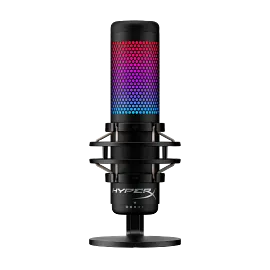
HyperX QuadCast 2 - USB Microphone (Black)

Other offers available with the product:

FREE Storewide Shipping

Last Chance deals!

Product # 872V1AA

3% back in HP Rewards

YOUR CONFIGURATION

*Price and promotions vary depending on selected configuration.
Color
See all specs
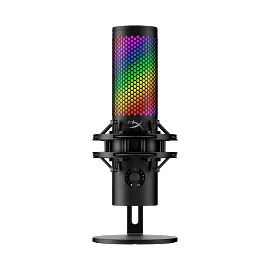
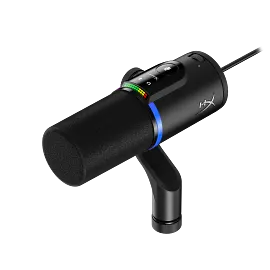
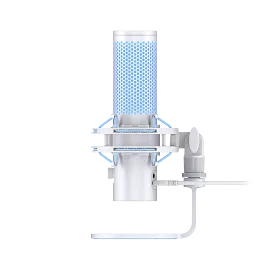
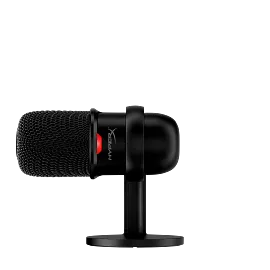
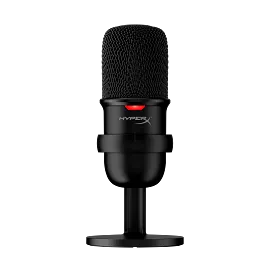
The HyperX QuadCast 2 refines everything that made the original such a favorite amongst gamers, streamers, and content creators around the world. All the fan-favorite features are still here: the iconic stunning lighting, the tap-to-mute sensor, 4 selectable polar patterns, the 3.5mm headphone jack, and included shock mount and desktop stand but now with a range of innovative additions packaged in a new sleek, full aluminum silhouette. QuadCast 2 features upgraded 24-bit, 96kHz recording for a studio-quality recording experience. It also features a redesigned detachable shock mount with improved performance and innovative spring-loaded pins, making removal easy and allowing the use of universal shock mounts[1]. In response to our fan’s feedback, QuadCast 2 now includes a multi-function knob so you can do everything on-board without needing to alt-tab. The knob allows users to choose between microphone gain, playback volume, and microphone monitoring volume, and can also switch polar patterns. The LED indicator also makes it easy to determine the current mic status without the hassle of going into the software. Users can choose different lighting effects and tune their mic via HyperX NGENUITY. The HyperX QuadCast 2 – the new standard for streaming microphones.

Hi-Res Studio-Quality Recording

The QuadCast 2 will help take your recordings to the next level by capturing more sound detail and allowing the subtleties of your voice to shine through.

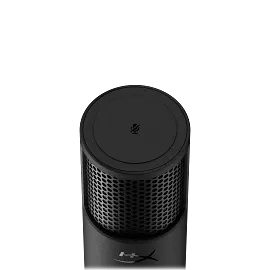
Tap-to-Mute Sensor

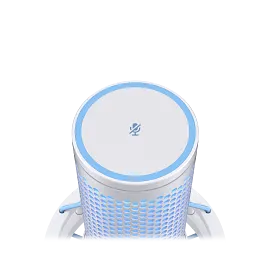
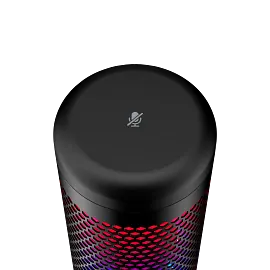
Simply tap the top of the QuadCast 2 to prevent audio accidents and quickly mute the microphone.

Intuitive On-Board Controls

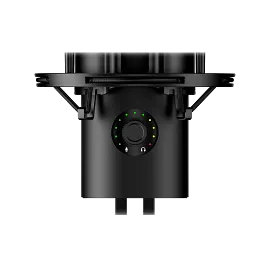
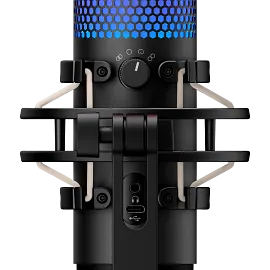
The multifunction knob lets you quickly and easily adjust your microphone gain, playback volume, monitoring volume, and switch between 4 polar patterns.

Mic Status LED indicator

The easy-to-see LED indicator and customizable grille lighting lets you spot whether or not the mic is live.

Removable Shock Mount

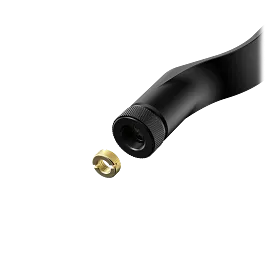
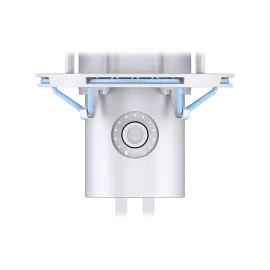
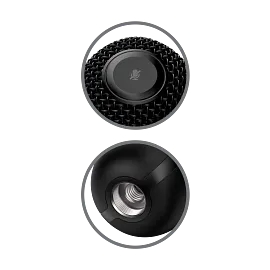
The pre-attached vibration-dampening shock mount is easily detachable thanks to the spring-loaded pins. The shock mount joint is also compatible with 3/8” and 5/8” threading, for easy setups.

Stunning HyperX Red Lighting

Give your streams and desk setup a touch of signature HyperX red with the QuadCast 2’s stunning lighting. Customize the lighting when live or muted in HyperX NGENUITY.

Four Selectable Polar Patterns

Optimize your recording by selecting whichever of the versatile QuadCast 2’s polar patterns (cardioid, omnidirectional, bi-directional, or stereo) best suits your audio capture needs.

Customizable in HyperX NGENUITY

Tune your microphone, adjust mic monitoring, and customize the QuadCast 2’s lighting all from simple, powerful HyperX NGENUITY Software.

Technical details

Color

Black

Total Harmonic Distortion

≤ 0.05% (1kHz/0dBFS)

Light Effects

16 zones

Noise (RMS) (Headphone)

≤-110dBV (A-weighted)

Noise (RMS) (Microphone)

≤-77dBV (A-weighted)

Connection Type

USB-C, 3.5mm headphone output

Cable length

9.84 ft

Element

Three 14mm electret condenser capsules

Frequency Response

20Hz - 20kHz

Sampling Rates

44.1kHz, 48kHz, 96kHz

Sensitivity - Microphone

'-7.5dB (1V/Pa at 1kHz)

USB

USB 2.0 (full speed)

Polar Pattern

Cardioid, omnidirectional, stereo, bidirectional

Power Consumption

5V 240mA (all lights on)

Compatibility

PC, Mac, PS4, PS5, Nintendo Switch, Steam Deck. Software Compatibility: HyperX NGENUITY.

Weight

Weight (Microphone) 11.8 oz; (Shock mount and stand) 4.8 oz; (Microphone stand) 9.6 oz; Total Weight (with cable) 28.8 oz.

Warranty

2 year

What's in the box

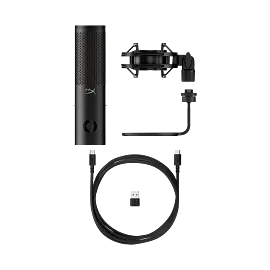
HyperX QuadCast 2 USB Microphone, 3m USB-C to USB-C cable, USB-C to USB-A adapter, Quick Start Guide.
HyperX QuadCast 2 - USB Microphone (Black) is rated 4.5 out of 5 by 275.
  • y_2025, m_12, d_15, h_4
  • bvseo_bulk, prod_bvrr, vn_bulk_3.0.42
  • cp_1, bvpage1
  • co_hasreviews, tv_168, tr_107
  • loc_en_US, sid_872V1AA, prod, sort_[SortEntry(order=SUBMISSION_TIME, direction=DESCENDING)]
  • clientName_hp
  • bvseo_sdk, java_sdk, bvseo-4.0.0
  • CLOUD, getAggregateRating, 16ms
  • REVIEWS, PRODUCT
Rated 1 out of 5 by Disappointed Jim from Order nightmare, not worth the hassle Purchase at your own risk. (Customer service complaints removed)
Date published: 2025-11-02
Rated 4 out of 5 by Some Guy on a Computer from Functionally fantastic but glitchy RGB Microphone works great and is fantastic at picking up sound in the specified direction, however its RGB controlling app that Hyperx recommended does not function as intended sometimes. I frequently see glitches of being unable to change the color or pattern to sometimes not having any color displayed at all. the microphone works great though.
Date published: 2025-10-23
Rated 5 out of 5 by PSICOJARS from Good Product Excelenten
Date published: 2025-10-02
Rated 2 out of 5 by tynelly from Hyper X mic Decent pick up but has a little delay, doesnt suppress background sound
Date published: 2025-09-28
Rated 4 out of 5 by Anonymous from A great product. The microphone works great, very clear. Extremely easy to install and works on multiple platforms with a simple move of the usb cord. Very cool lighting that adds to any setup to give it some flair. Very happy with performance and speed of shipping/packaging.
Date published: 2025-08-05
Rated 4 out of 5 by Kenski from HyperX QuadCast 2 S Black Great product and works well colors are nice and sharp defiantly recommend if you need a desk mic.
Date published: 2025-06-27
Rated 1 out of 5 by Wyattk22 from Trash It’s been 4+ years and they still don’t have a software compatible with mac
Date published: 2025-06-20
Rated 5 out of 5 by Paula D from Great microphone for online meetings I am using the microphone for meetings, and my colleagues appreciate very much the quality of my voice. In the virtual meetings world, having a good sound quality makes such a difference, and this solo cast microphone really stands out compared to all other microphone solutions I had used before.
Date published: 2025-02-17
  • y_2025, m_12, d_15, h_4
  • bvseo_bulk, prod_bvrr, vn_bulk_3.0.42
  • cp_1, bvpage1
  • co_hasreviews, tv_168, tr_107
  • loc_en_US, sid_872V1AA, prod, sort_[SortEntry(order=SUBMISSION_TIME, direction=DESCENDING)]
  • clientName_hp
  • bvseo_sdk, java_sdk, bvseo-4.0.0
  • CLOUD, getReviews, 5ms
  • REVIEWS, PRODUCT

Is this something you vocals use for singing or no?

Asked by: Smurf17
The HyperX QuadCast S - USB Microphone is designed for gaming, podcasts, zoom calls, etc. This is not designed for professional vocal(singing) recording.
Answered by: HP Team Grant
Date published: 2023-05-06

is this mic compatible with HP Elite Desk Mini ... for Radio Broadcasting with RadioJar

Asked by: DJ A
This HyperX SoloCast - USB Microphone will be compatible with PC, PS5™, PS4™, and Mac®. For questions about third-party software compatibility please contact the software manufacturer.
Answered by: HP Team Grant
Date published: 2023-06-01

How does the microphone work with a PC

Asked by: cassie24
Thanks for your question. The microphone will connect to a USB port on your computer. Whatever software you use to record should recognize the microphone and you can begin recording.
Answered by: HP Team-Ryan
Date published: 2025-03-05

on my inspiron 15 35 35 a little circle over camera fell off now picture is very fuzzy can i buy a replacement lens without replacing whole camera?

Asked by: pkelly
We are sorry to hear about your issue. We recommend reaching out to Dell Support for further assistance.
Answered by: HP Team Cheri
Date published: 2025-06-01

How do you turn the d*** thing on

Asked by: Bodo124
Thank you for your question! Make sure you are using a direct USB connection to the host PC. Then touch the top of the microphone to unmute.
Answered by: HP Team Grant
Date published: 2024-07-25

Is this compatible with Mac OS?

Asked by: C-Note
Thanks for your question. The HyperX DuoCast is compatible with macOS.
Answered by: HP Team-Ryan
Date published: 2024-12-26

Can I change the colors of the rgb on the frost or is it only blue?

Asked by: Sophia.

I have HP Elite Desk Mini Computer and Radio Broadcast via RadioJar with ZealSoft microphone . I have no Microphone Settings when open the Virtual Studio. Can anyone help me figure this out Thanks

Asked by: DJ A
  • y_2025, m_12, d_15, h_4CST
  • bvseo_bulk, prod_bvqa, vn_bulk_3.0.42
  • cp_1, bvpage1
  • co_hasquestionsanswers, tq_10
  • loc_en_US, sid_872V1AA, prod, sort_[SortEntry(order=NUM_ANSWERS, direction=DESCENDING)]
  • clientName_hp
  • bvseo_sdk, java_sdk, bvseo-4.0.0
  • CLOUD, getContent, 9ms
  • QUESTIONS, PRODUCT

SIMILAR PRODUCTS

Return and exchange information
Eligible purchases from Nov 1 - Dec 25, 2025, can be returned or exchanged until Jan 15, 2026, or 30 days after delivery, whichever is later. A 15% restocking fee may apply. For details, please visit: https://www.hp.com/us-en/shop/cv/returnsandexchanges
Country/Region :   United States