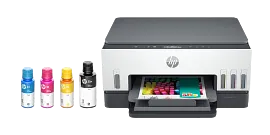
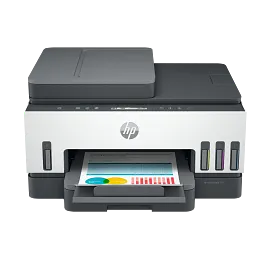
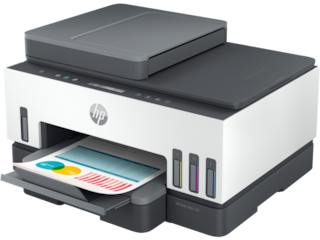
HP Smart Tank 7001 All-in-One Printer, AI-enabled
Home
Other offers available with the product:
FREE Storewide Shipping
Weekly Deals
Product # 28B49A#B1H
FunctionsPrint, scan, copy, duplex, wireless
- Print, scan, copy, 2-sided printing, HP's best wifi technology
- Up to 3 years of ink in the box keeps you printing at a fraction of the cost
- Get perfectly formatted prints with HP AI
- The workhorse printer for everything you need for home, school, and workSee all Specs
Can't find what you are looking for?
Engineered for Sustainability
HP Smart Tank 7001 All-in-One Printer, AI-enabled
$0.00
Printing is seamless from start to finish with a high-capacity ink tank printer. Create outstanding-quality color documents at a low cost, with up to 3 years of Original HP ink included in the box.[1]
Best for families who print a variety of color documents in high volumes
Best for families who print a variety of color documents in high volumes
Seamless printing from start to finish
Fast printing with up to 15ppm Black and 9ppm Color, plus automatic two-sided printing. Self-healing Wi-Fi helps keep you connected. It automatically detects and resolves connectivity issues.[4] Get security essentials to ensure privacy and control including basic encryption and password protection. Smart-guided buttons illuminate to help visually guide you through everyday print, scan, and copy tasks.
Fully loaded with savings
Join HP in protecting our planet for the future.
Reduce plastic waste. Get up to 8,000 color pages or up to 6,000 black pages with Original HP ink bottle refills.[6] Sustainable design made from recycled printers and other electronics-more than 25% by weight of plastic.[8] Choose HP branded sustainabily sourced FSC® certified paper to help stop deforestation and protect wildlife. EPEAT Silver certified printer: an environmentally conscious choice.
recommended supplies & support
Engineered for high-volume printing
Get up to 8,000 color pages or up to 6,000 black pages.[6]
Automatic two-sided printing
Speed through multi-page documents with automatic two-sided printing.
Your reliable connection
Get faster, more reliable connections using dual band Wi-Fi® with self-healing.[4]
Customizable shortcuts on your phone
Seamless, guided mobile set up[2]
Exceptional HP quality
Count on dark, crisp text, and get vibrant color graphics for all your prints.
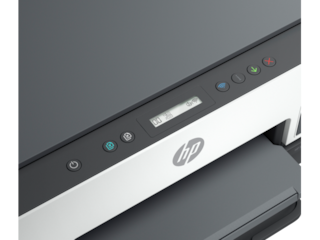
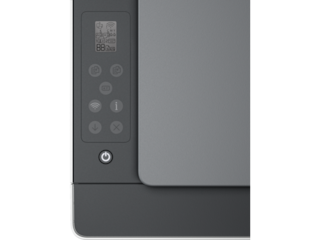
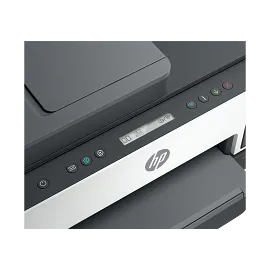
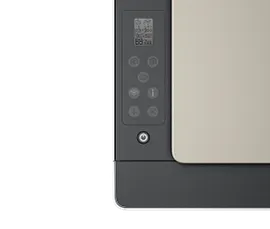
Smart-guided buttons
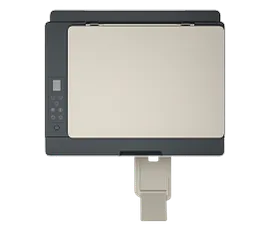
Easily manage tasks with smart-guided buttons that illuminate and guide you through the printing process.
Convenient ink and paper management
Easily monitor ink and paper levels with automatic Low on Ink and paper sensors.
All the features you need
Get the features you need for work and other tasks with copy, and scan functions.
Technical details
HP Smart Tank 7001 All-in-One Printer, AI-enabled is rated
out of
5 by
426.
Rated 4 out of
5
by
B Stan from
Great but one thing missing..
This printer is great especially using the smart ink refillable tanks, but it’s missing a tray for photo paper only which in my opinion would make this the perfect printer I know there is a model with one that’s more expensive I just want this one at this price to have the tray photo paper other than that go get you one of these if you don’t care about photo paper.
Date published: 2026-01-01
Rated 4 out of
5
by
Greg Cinque from
So far so good
The printer has performed so far. It is used light duty. First experience with ink tank vs ink cartridges. Will see when it comes time to refill tanks compared with plugging in a cartridge. Physical setup is not plug and play. Must assemble heads and fill tanks. Fairly simple for me but not my wife. It was the only printer that is backward compatible with my Windows 7. Print quality is very good and print speed is fast.
Date published: 2025-12-30
Rated 5 out of
5
by
Beth Ann B. from
Easy and Economical
Set-up Was easy. The printer is fast and prints beautiful copies. I have used the scanner option to upload documents to my HP laptop. The ink tanks are economical compared to my previous HP All-In-One printer with ink cartridges. My family and I are enjoying this printer.
Date published: 2025-12-08
Rated 5 out of
5
by
Anonymous from
WHEN IT COMES TO DESIGNING TECHNOLOGY “HP” SETS THE STANDARD IN DEVELOPING PRODUCTS THAT EXCELL!
In my humble opinion, I feel that the HP 7000 Series Smart Tank Printer is an Exceptional COLOR / BLACK & WHITE PRINTER! I am a Clinical Psychiatrist at The University of Penn Medical Center, and when I decided that my HP Printer I had in my office at home was showing its age, My wife and I decided that we go to HP’S WEBSITE, and when we saw the
HP SMART TANK 7000 Series with the ability to fill the 4 INK TANKS without any hassle or difficulty! I called HP and “Purchased the printer! Setting up the
WI-FI Connection was amazing easy and
filling the “TANKS” was to my surprise an
easy experience!
Date published: 2025-09-10
Rated 5 out of
5
by
DebHH from
Love this concept!
This is such a great idea for saving on inks. It prints fast and efficient. Very easy to fill ink cartridges.
Date published: 2025-09-09
Rated 1 out of
5
by
Sad Kate from
Horrible printer.
One star is too high. It will not connect to the computer. No drivers can be found.
Date published: 2025-08-16
Rated 1 out of
5
by
A Dove from
Never buying HP again
It didn't set up correctly and the product number doesn't exist. I can't open a support ticket without a product number. A waste of money for what is effectively a giant paper waste
Date published: 2025-06-11
Rated 1 out of
5
by
George675 from
Didn’t work after setting up !!!!!!
Very disappointed with HP. The new Smart Tank 7001 didn’t work out of the box.I keep getting printer head warnings. I spent 3 hours trying to reset everything but still not working. Will have to call tech support and waist more time trying to fix there printer.
Date published: 2025-05-26
Is the Smart Tank compatible with Instant Ink?
The HP Smart Tank Printers are not compatible with Instant Ink.
Date published: 2023-04-17
What are the main differences between the HP Smart Tank 6001 and the 7001?
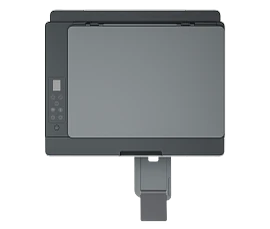
Hello. Thanks for your question. The HP Smart Tank 7001 printer has a bigger paper tray that can hold up to 250 sheets vs. 150 sheets on the HP Smart Tank 6001 printer. It can also hold up to 30 envelopes vs 10 envelopes on the HP Smart Tank 6001 printer. The HP Smart Tank 7001 printer can also print double-sided documents automatically. With the HP Smart Tank 6001 printer, you would need to manually turn the paper over.
Date published: 2023-05-27
You never answered my first question, so I will ask it agaIn. Does the hp 7001 and the hp 7301 both have front loading paper trays?
Thank you for your question! My apologies, I must have overlooked that first question! The HP Smart Tank 7001 and 7301 are front-loading printers.
Date published: 2021-12-03
Will the Auto 2-sided printing work with legal paper?
Hello. Thanks for your question. This HP Smart Tank 7001 printer can do auto 2-sided printing up to 8.5 x 11 inches (letter).
Date published: 2024-04-20
Can this printer accept sublimation ink?
Hello. Thanks for your question. Sublimation ink cannot be used in this HP Smart Tank 7001 printer.
Date published: 2023-04-13
Buongorno, vorrei sapere se si può disabilitare il wireless della stampante per l'uso connesso a usb
Bonjour. Merci pour votre question. Oui, vous pouvez choisir de ne pas utiliser la connexion sans fil sur l'imprimante HP Smart Tank 7001 et de l'utiliser uniquement via le connecteur USB. Lorsque vous configurez l'imprimante, choisissez la connexion USB avec l'application HP Smart.
Date published: 2025-01-27
What feature does the 7301 have that 7001 does not have (for the extra $39.00)??
Thank you for your question! The biggest feature the HP SmartTank 7301 has that the 7001 doesn't have is the auto-document feeder.
Date published: 2023-05-27
Where can I find how to information?
Hello. Thanks for your question. The User Guide can be found by going to https://support.hp.com If you are looking for something else. Please resubmit your question and we will answer it as soon as possible.
Date published: 2024-11-16
SIMILAR PRODUCTS
1/6
HP Smart Tank 7602 All-in-One, AI-enabled
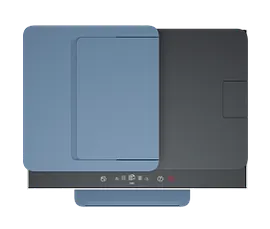
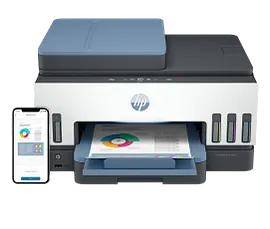
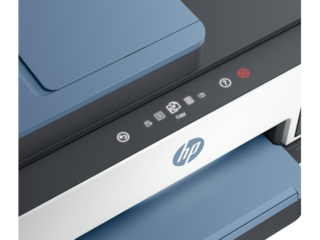
Print, scan, copy, fax, 2-sided printing, auto document feeder, HP's best wifiUp to 3 years of ink in the box keeps you printing at a fraction of the costGet perfectly formatted prints with HP AIThe refillable rockstar with advanced features from home and office
28B98A#B1H
Home
Engineered for Sustainability
1/6
HP Smart Tank 6001 All-in-One, AI-enabled
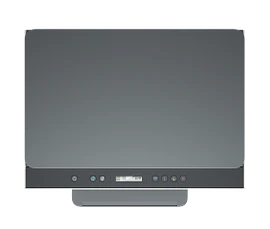
Print, scan, copy, 2-sided printing, HP's best wifi technologyUp to 3 years of ink in the box keeps you printing at a fraction of the costGet perfectly formatted prints with HP AIThe workhorse printer for everything you need for home, school, and work
2H0B9A#B1H
Home
Engineered for Sustainability

1/7
HP Smart Tank 5101 All-in-One Printer, AI-enabled
Print, scan, copy, wirelessUp to 3 years of ink in the box keeps you printing at a fraction of the costGet perfectly formatted prints with HP AIStay connected with self-healing WiFi
1F3Y0A#B1H
ENERGY STAR | Home
Engineered for Sustainability
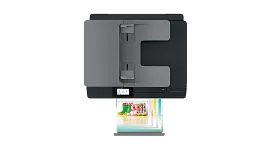
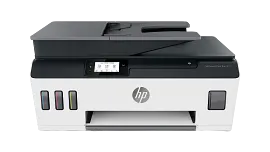
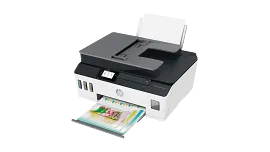
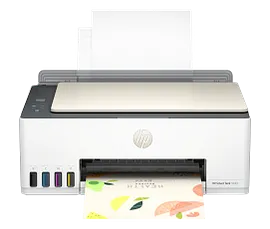
HP Smart Tank Plus 651 Wireless All-in-One
Print, copy, scan, fax, ADF, wirelessPrint speed ISO: Up to 11 ppm black, up to 5 ppm colorFaster connections with dual-band Wi-Fi; easy mobile printing with HP Smart appInk tank printer delivers up to 3 years of ink in bottles included in the box
7XV38A#B1H
Home
Engineered for Sustainability
Return and exchange information
Eligible purchases from Nov 1 - Dec 25, 2025, can be returned or exchanged until Jan 15, 2026, or 30 days after delivery, whichever is later. A 15% restocking fee may apply. For details, please visit: https://www.hp.com/us-en/shop/cv/returnsandexchanges


