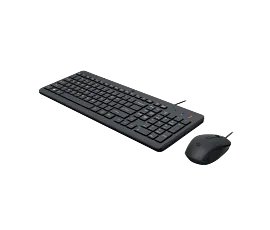
HP 680 Comfort Dual-Mode Keyboard and Mouse Combo


Other offers available with the product:
FREE Storewide Shipping
Weekly Deals
Product # 8T6L6AA#ABA
- Dual-mode connections, designed for total comfort
- The duo designed for natural, customizable comfort
- Dual-mode connection and multi-OS[2] compatibility.
- Made with at least 55% post-consumer recycled materials[3]See all Specs
Can't find what you are looking for?
3% back in HP Rewards
Engineered for Sustainability
HP 680 Comfort Dual-Mode Keyboard and Mouse Combo
$0.00
The HP 680 Comfort Dual-Mode Keyboard and Mouse are a natural fit. Type and click in comfort with enhanced design features. Do the most with programmable shortcuts[1] and security-enhanced connections for a more effortless way to work.
Made for comfort, built for success
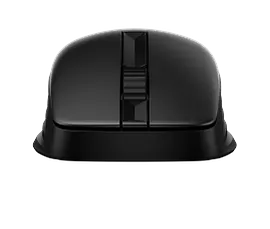
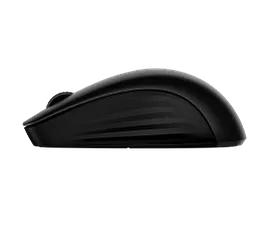
No matter the task, this tech is built for total comfort. Natural contours and mouse side grips help increase comfort. A specially designed wave shape keyboard with three adjustable angles and relaxing wrist rest puts hands at ease to elevate your workflow.
Personal. Powerful. Unstoppable
Adapt your workspace to work for you with features like programmable shortcuts[1] and a 4D tilt wheel with vertical and horizontal fast scroll. Quiet typing and clicks boost focus while fast scrolling and multi-surface tracking keep you in control.
Quite the (secure) pair
Be secure in knowing this dual-mode keyboard and mouse syncs to multiple devices worry-free. Seamless Bluetooth® and dependable HP Unifying Dongle protect everything you connect. Engineered for Intel® Evo™ devices and multi-OS[2] compatibility for smoother, safer workflow on the fly.
Built for a better tomorrow
The better choice for a brighter tomorrow, the HP 680 Comfort Dual-Mode Keyboard with and Mouse are made with at least 55% post-consumer recycled materials[3]. Plus, with FSC®-certified packaging, this duo was thoughtfully designed.
Technical details
How can I add mission control for a Mac computer to the mouse?
Thank you for your question! Download the HP Accessory Center App for Mac for assistance. For further assistance please get in touch with HP Support at this link: https://support.hp.com/us-en
Also, Mission Control can be used on a Mac by pressing F3 on the keyboard.
Date published: 2025-02-24
Does it have a print screen button?
SIMILAR PRODUCTS
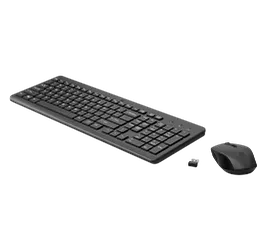
HP 330 Wireless Mouse and Keyboard Combination.
One wireless USB connectionChiclet-style keyboardUltra-precise mouseIntegrated common controls
2V9E6AA#ABL
3% back in HP Rewards
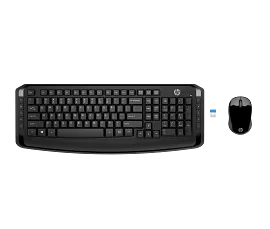
HP Wireless Keyboard and Mouse 300
One wireless USB connectionQuick access shortcut keysUltra-precise mouseData encryption
3ML04AA#ABL
3% back in HP Rewards
1/6
HP 650 Wireless Keyboard and Mouse Combo
Great typing experienceAmbidextorous, multi-surface mouseOne wireless USB connectionCustomize shortcut keys and DPI
4R013AA#ABL
Engineered for Sustainability
3% back in HP Rewards
HP 230 Wireless Mouse and Keyboard Combo
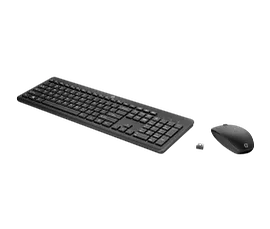
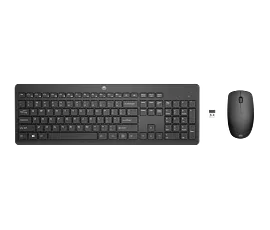
One wireless USB connection16 month battery lifeChiclet style keyboardUp to 1600 DPI
18H24AA#ABA
3% back in HP Rewards
Return and exchange information
Eligible purchases from Nov 1 - Dec 25, 2025, can be returned or exchanged until Jan 15, 2026, or 30 days after delivery, whichever is later. A 15% restocking fee may apply. For details, please visit: https://www.hp.com/us-en/shop/cv/returnsandexchanges


