HyperX OMEN 15 inch Gaming Laptop PC 15, Windows 11 Home, 15.3", Intel® Core™ Ultra 9, 32GB RAM, 1TB SSD, NVIDIA® GeForce RTX™ 5070, 3K, Shadow black
Copilot+ PC

Home
Other offers available with the product:
FREE Storewide Shipping
Creative tools for just $129.99!
Money-back guarantee
Financing options available for all credit scores
Black Friday Sale
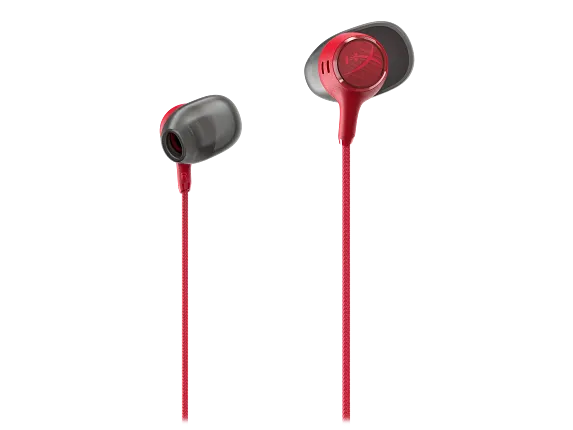
Free HyperX gift with this PC!
Extra $30 off select printers with any PC
Pick 2 of 7 games with this PC!
Product # DD6K0UA#ABA
Screen Size15.3"ColorShadow black aluminum
- Windows 11 Home
- Intel® Core™ Ultra 9 processor
- NVIDIA® GeForce RTX™ 5070 Laptop GPU (8 GB GDDR7 dedicated)
- 32 GB memory;1 TB SSD storage
- 15.3" diagonal 3K OLED displaySee all Specs
Sustainability features
HyperX OMEN 15 inch Gaming Laptop PC 15, Windows 11 Home, 15.3", Intel® Core™ Ultra 9, 32GB RAM, 1TB SSD, NVIDIA® GeForce RTX™ 5070, 3K, Shadow black
$0.00
The HyperX OMEN 15 delivers fast performance that pushes your gaming farther than ever. With NVIDIA® GeForce RTX™ 50 Series GPUs and Intel® Core™ CPUs [2], Unleashed Mode for manual overclocking, and with a single click on OMEN AI, you can maximize your FPS without the hassle.
Technical specifications
Recommended Accessories




HYPERX
OMEN 15
PLAY PAST
ORDINARY


OWN THE WAY YOU PLAY
With the HyperX OMEN 15, performance keeps up with you no matter the game.

WITH INTEL® CORE™ Ultra 9 386H

WITH 32 GB DDR5-5600 MT/s

WITH 1 TB PCIe® GEN4 NVMe™ M.2 SSD

WITH NVIDIA® GEFORCE RTX™ 5070


FOR EVERY GAMER, EVERYWHERE
Intel Core processors feature performance hybrid architecture that makes it easy to game, stream, and create all at the same time.


UNLEASHED MODE
Manually clock your device beyond itâs out-of-the-box limits without having to go into the BIOS with Unleashed Mode, which is only made possible by the thermal.
For select product/SKU only. Unleashed Mode is available now in OMEN Gaming Hub under Performance Control.
NVIDIA® GEFORCE RTX™ 50 SERIES GPU

NVIDIA's new Blackwell Architecture is 2x faster than the previous generation, providing a quantum leap in performance. The RTX 50 series enables unparalleled gaming experiences with improved ray tracing and DLSS 4, while igniting your creativity through NVIDIA Studio.
TRANSFORMING THE WAY YOU CREATE
Experience breakthrough performance in video editing, 3D rendering, and graphic design with the RTX 50 series GPUS. RTX acceleration in top creative apps, world-class NVIDIA Studio drivers, and exclusive AI-assisted tools to improve your workflow.
SPEED MEETS PERFECTION
The new DLSS 4 with Multi Frame Generation uses neural rendering models to accelerate FPS for the smoothest possible gameplay.
NEVER SLOW DOWN WITH OMEN TEMPEST COOLING
From sunrise to shut down, the HyperX OMEN 15 keeps raising the bar with OMEN Tempest Cooling. OMEN's Fan Cleaner technology minimizes performance dips and reduces maintenance, keeping you performing at your best.
VISUALS THAT DRAW YOU IN
With display technology that lights each pixel separately, OLED gets you deeper blacks for richer contrast, enhanced color depth, and more power efficiency than traditional LED screens.
FASTER MOVES FOR WHEN IT MATTERS
React faster than ever with the HyperAction 8000 Hz polling rate keyboard that gives you the competitive edge with 4X faster inputs for faster reaction times.

Screen to body ratio is the percent of active plus nonactive viewing area to active viewing area plus border. Measure with lid vertical to the desk. Calculated to the nearest whole percent may vary +/-0.5%.
Compared to our 2025 OMEN 16 with four zone RGB keyboard, which keyboard latency is 11.1ms, the 2026 HyperX OMEN 15 laptop (prebuilt) with high polling rate of 8000Hz (0.125ms) has keyboard latency test result 7.3ms comparison; Performance specifications represent the typical specifications provided by HP's component manufacturers; actual performance may vary, either higher or lower.
HyperX OMEN 15 inch Gaming Laptop PC 15-ga0000 - Buyer's Guide
Review configuration guidance for HyperX OMEN 15 inch Gaming Laptop PC 15-ga0000 across Available Processor, Memory & Upgrade Path, Available Display Options, Wireless Connectivity, Battery Life, Available Power Adapter, Ports & Connectivity, Available Audio System Specifications, Graphics Options.
This Buyers Guide is generated using AI which can make mistakes. Please verify all information using the product page or data sheet for important disclosures and complete information.
Not all configuration components are available in all regions/countries.
Source: HP series specifications

Available Processor
Compare listed processor options and configuration guidance.
HyperX OMEN 15 inch Gaming Laptop PC 15-ga0000 offers the processor families listed below. Exact processors and available configurations depend on the selected model and region.
Swipe horizontally to view the full table.
Processor Family | Selection Guidance |
|---|---|
Intel Core Ultra 9 processor | See product page or HP series specifications for complete disclosures. |
Intel Core Ultra 7 processor | See product page or HP series specifications for complete disclosures. |
Intel Core Ultra 5 processor | See product page or HP series specifications for complete disclosures. |
Intel Core 7 processor | See product page or HP series specifications for complete disclosures. |
Intel Core 5 processor | See product page or HP series specifications for complete disclosures. |
Intel Core i9 processor | See product page or HP series specifications for complete disclosures. |
Intel Core i7 processor | See product page or HP series specifications for complete disclosures. |
Intel Core i5 processor | See product page or HP series specifications for complete disclosures. |
How To Choose
Select a processor from the options offered for your configuration. Check application and operating-system compatibility before choosing.

Memory & Upgrade Path
Review listed memory capacity, architecture, and upgrade guidance.
Memory capacity, architecture and service access vary by configuration. Listed options are not the memory installed in every SKU.
Swipe horizontally to view the full table.
Feature | Specification |
|---|---|
Listed capacities | 8 GB, 16 GB, 24 GB, 32 GB |
Memory architecture | DDR5 |
Memory slots listed | 2 slots; availability and service access depend on the configuration. |
How To Choose
Choose enough installed memory for your applications. Confirm the exact configuration and HP service guidance before planning an upgrade.
See product page or HP series specifications for complete disclosures.

Available Display Options
Compare listed display options, brightness, touch, and availability notes.
Display panels are configuration options. Confirm the size, resolution, touch capability and panel characteristics on the selected product page.
Swipe horizontally to view the full table.
Panel | Listed Specifications |
|---|---|
2880 x 1800 | OLED, BrightView, 500 nits, 120 Hz, 100% DCI-P3 |
2560 x 1600 | IPS, Antiglare, 500 nits, 180 Hz, 100% sRGB |
1920 x 1200 | IPS, Antiglare, 400 nits, 165 Hz, 100% sRGB |
1920 x 1200 | IPS, Antiglare, 300 nits, 165 Hz, 62.5% sRGB |
How To Choose
Choose the panel offered for your configuration that fits your resolution, touch and viewing requirements. Brightness and color specifications describe the panel, not every SKU.
See product page or HP series specifications for complete disclosures.

Wireless Connectivity
Review listed wireless modules, standards, and network requirements.
Wireless capability depends on the installed card, supported software, compatible network equipment and regional availability. A wireless access point and internet service may be required and are not included.
Swipe horizontally to view the full table.
Feature | Specification |
|---|---|
Option 1 | MediaTek Wi-Fi7MT7925(2x2) and Bluetooth 6.0 wireless card |
Option 2 | Realtek Wi-Fi 6 (2x2) and Bluetooth 5.4 wireless card |
Option 3 | Intel Wi-Fi 6E AX211(2x2) and Bluetooth 5.3 wireless card |
How To Choose
Confirm the wireless card offered for your model and the network equipment you will use. Do not assume every listed wireless option is installed.
See product page or HP series specifications for complete disclosures.

Battery Life
Review listed battery options, published runtime results, and charging conditions.
Battery capacity is not a runtime guarantee. Actual runtime and capacity vary with the configuration, use, settings, temperature and battery age.
Swipe horizontally to view the full table.
Feature | Specification |
|---|---|
Listed battery capacity | 70 Wh |
Battery construction | 4-cell; exact battery depends on the model. |
How To Choose
Compare the battery offered for the selected model. Check the product page and series specifications for charging conditions and battery disclosures. No runtime or fast-charge guarantee is made here.
See product page or HP series specifications for complete disclosures.

Available Power Adapter
Review listed power options and wattage guidance.
Power options depend on the selected configuration. Listed adapters and power supplies are alternatives, not interchangeable replacement recommendations.
Swipe horizontally to view the full table.
Feature | Specification |
|---|---|
Option 1 | 280 w AC power adapter |
Option 2 | 230 W AC power adapter |
Option 3 | 200 w AC power adapter |
Option 4 | 150 w AC power adapter |
Option 5 | No power adapter(select countries/regions only) |
How To Choose
Use the HP-approved power adapter or supply specified for your configuration. Confirm wattage and connector type before buying a replacement.
See product page or HP series specifications for complete disclosures.

Ports & Connectivity
Check port layout and external display notes.
Port availability and functions depend on the selected configuration. Connector shape does not establish charging, video or docking support. Optional ports are not included on every model.
Swipe horizontally to view the full table.
Feature | Specification |
|---|---|
Connection 1 | (1) USB 3.2 Gen 2.0 Type-C port; 10 Gbps signaling rate (USB Power Delivery 3.1, DisplayPort 1.4, HP Sleep and Charge) |
Connection 2 | (2) USB 3.2 Gen 2.0 Type-A ports; 10 Gbps signaling rate |
Connection 3 | (1)RJ-45 Ethernet port |
Connection 4 | (1) Headphone/microphone combo port |
Connection 5 | (1)HDMI 2.1 output port |
Connection 6 | (1)AC Smart pin adapter plug |
How To Choose
Check the connectors needed by your peripherals. For USB-C, confirm the explicitly listed charging, display and data functions before selecting a dock or adapter.
See product page or HP series specifications for complete disclosures.

Available Audio System Specifications
Review audio, microphone, speaker, and camera specifications.
Audio hardware and features depend on the selected configuration.
Swipe horizontally to view the full table.
Feature | Specification |
|---|---|
Audio | Hyperx Dual speakers DTS:X Ultra HP Audio Boost |
How To Choose
Confirm whether you need the built-in speakers or an external audio accessory. Verify headset, microphone and application compatibility.
See product page or HP series specifications for complete disclosures.

Graphics Options
Review the listed graphics options specifications and configuration guidance.
Listed components are alternatives across the series. Availability depends on the selected configuration.
Swipe horizontally to view the full table.
Feature | Specification |
|---|---|
Option 1 | Intel Arc 140T GPU Intel Arc 130T GPU Intel UHD Graphics Intel Graphics |
Option 2 | NVIDIAGeForce RTX 5070 Laptop GPU (8 GB GDDR7 dedicated) |
Option 3 | NVIDIA GeForce RTX 5060 Laptop GPU (8 GB GDDR7 dedicated) |
Option 4 | NVIDIA GeForce RTX 5050 Laptop GPU (8 GB GDDR7 dedicated) |
Option 5 | Hybrid Graphics |
How To Choose
Choose from the graphics options offered for the selected model. Confirm application, display and power requirements for that configuration.
See product page or HP series specifications for complete disclosures.
Reviews and Q&A
Return and exchange information
Eligible purchases from Nov 1 - Dec 25, 2026, can be returned or exchanged until Jan 15, 2027, or 30 days after delivery, whichever is later. For details, please visit: https://www.hp.com/us-en/shop/cv/returnsandexchanges


